Nikola Brežnjak blog - Tackling software development with a dose of humor
  • Home
  • Daily Thoughts
  • Ionic
  • Stack Overflow
  • Books
  • About me
Home
Daily Thoughts
Ionic
Stack Overflow
Books
About me
  • Home
  • Daily Thoughts
  • Ionic
  • Stack Overflow
  • Books
  • About me
Nikola Brežnjak blog - Tackling software development with a dose of humor
CodeProject, NodeJS

Using PM2 to run your Node.js apps like a pro

Previously I wrote about running Node.js apps with Nodemon and Forever but nowdays I’m using the ever so slightly more professional PM2.

Running your Node.js application by hand is, well, not the way we roll. Imagine restarting the app every time something happens, or god forbid application crashes in the middle of the night and you find about it only in the morning – ah the horror. PM2 solves this by:

  • allowing you to keep applications alive forever
  • reloading applications without downtime
  • facilitating common system admin tasks

To install PM2, run the following command:

sudo npm install pm2 -g

To start your process with PM2, run the following command (once in the root of your application):

pm2 start server.js

As you can see from the output shown on the image below, PM2 automatically assigns an App name (based on the filename, without the .js extension) and a PM2 id. PM2 also maintains other information, such as the PID of the process, its current status, and memory usage.

PM2

As I mentioned before, the application running under PM2 will be restarted automatically if the application crashes or is killed, but an additional step needs to be taken to get the application to launch on system startup (boot or reboot). The command to do that is the following:

pm2 startup ubuntu

The output of this command will instruct you to execute an additional command which will enable the actual startup on boot or reboot. In my case the note for the additional command was:

sudo env PATH=$PATH:/usr/local/bin pm2 startup ubuntu -u nikola

If you want to learn more about the additional PM2 options you can take a look at this post.

Stack Overflow

How to properly set the BasedOn in XAML style

profile for Nikola at Stack Overflow, Q&A for professional and enthusiast programmers
I’m a big fan of Stack Overflow and I tend to contribute regularly (am currently in the top 0.X%). In this category (stackoverflow) of posts I will will be posting my top rated questions and answers. This, btw, is allowed as explained in the meta thread here.

My question was:

I have this as the style template:

<Style x:Key="myDogToggleButton1" TargetType="ToggleButton" BasedOn="{x:Null}">
    <Setter Property="FocusVisualStyle" Value="{x:Null}"/>
    <Setter Property="Template">
        <Setter.Value>
            <ControlTemplate TargetType="ToggleButton">
                <Grid>
                    <Image Name="Normal" Source="/images/dogs/dog1.png"/>
                    <Image Name="Pressed" Source="/images/dogs/dog3.png" Visibility="Hidden"/>
                    <Image Name="Disabled" Source="images/dogs/dog5.png" Visibility="Hidden"/>
                </Grid>
                <ControlTemplate.Triggers>
                    <Trigger Property="IsPressed" Value="True">
                        <Setter TargetName="Normal" Property="Visibility" Value="Hidden"/>
                        <Setter TargetName="Pressed" Property="Visibility" Value="Visible"/>
                    </Trigger>
                    <Trigger Property="IsEnabled" Value="False">
                        <Setter TargetName="Normal" Property="Visibility" Value="Hidden"/>
                        <Setter TargetName="Disabled" Property="Visibility" Value="Visible"/>
                    </Trigger>
                </ControlTemplate.Triggers>
            </ControlTemplate>
        </Setter.Value>
    </Setter>
</Style>

And now I want another one which is based on the upper one, and this doesn’t work:

<Style x:Key="myDogToggleButton2" TargetType="ToggleButton" BasedOn="{DynamicResource myDogToggleButton1}">
    <Setter Property="Normal" Value="/images/dogs/dog2.png" />
    <Setter Property="Pressed" Value="/images/dogs/dog2.png" />
    <Setter Property="Disabled" Value="/images/dogs/dog2.png" />
</Style>

The error message I get is:

The member "Pressed" is not recognized or is not accessible.
The member "Normal" is not recognized or is not accessible.
The member "Disabled" is not recognized or is not accessible.

I suspect that my different style calling is wrong, so please point out the error.

The answer, by user Heena Patil, was:

Try this

Resource

<Window.Resources>
    <Style x:Key="myDogToggleButton1" TargetType="ToggleButton">
        <Style.Resources>
            <BitmapImage x:Key="Normal" UriSource="Images/darblue_tab.png"/>
            <BitmapImage x:Key="Pressed" UriSource="Images/img-whitebg.png" />
            <BitmapImage x:Key="Disabled" UriSource="Images/img-greenbg.png"/>
        </Style.Resources>
        <Setter Property="FocusVisualStyle" Value="{x:Null}"/>
        <Setter Property="Template">
            <Setter.Value>
                <ControlTemplate TargetType="ToggleButton">
                    <Grid>
                        <Image Name="Normal" Source="{DynamicResource ResourceKey=Normal}" Stretch="Fill"/>
                        <Image Name="Pressed" Source="{DynamicResource ResourceKey=Pressed}" Visibility="Hidden"/>
                        <Image Name="Disabled" Source="{DynamicResource ResourceKey=Disabled}" Visibility="Hidden"/>
                    </Grid>
                    <ControlTemplate.Triggers>
                        <Trigger Property="IsPressed" Value="True">
                            <Setter TargetName="Normal" Property="Visibility" Value="Hidden"/>
                            <Setter TargetName="Pressed" Property="Visibility" Value="Visible"/>
                        </Trigger>
                        <Trigger Property="IsEnabled" Value="False">
                            <Setter TargetName="Normal" Property="Visibility" Value="Hidden"/>
                            <Setter TargetName="Disabled" Property="Visibility" Value="Visible"/>
                        </Trigger>
                    </ControlTemplate.Triggers>
                </ControlTemplate>
            </Setter.Value>
        </Setter>
    </Style>
    <Style x:Key="myDogToggleButton2" TargetType="ToggleButton" BasedOn="{StaticResource myDogToggleButton1}">
        <Style.Resources>
            <BitmapImage x:Key="Normal" UriSource="Images/img-darkbg.png" />
            <BitmapImage x:Key="Pressed" UriSource="Images/Screenshot_5.png"/>
            <BitmapImage x:Key="Disabled" UriSource="Images/img-bluebg.png"/>
        </Style.Resources>
    </Style>
</Window.Resources>

Xaml

<Grid>
    <ToggleButton HorizontalAlignment="Left" Style="{StaticResource myDogToggleButton1}"/>
    <ToggleButton  HorizontalAlignment="Right" Style="{StaticResource myDogToggleButton2}"/>
</Grid>

Update Using single style.

<Grid>
    <ToggleButton Height="300" Width="300" HorizontalAlignment="Left" Style="{StaticResource myDogToggleButton1}"/>
    <ToggleButton  Height="300" Width="300" Style="{StaticResource myDogToggleButton1}" HorizontalAlignment="Right">
        <ToggleButton.Resources>
            <BitmapImage x:Key="Normal" UriSource="Images/img-darkbg.png" />
            <BitmapImage x:Key="Pressed" UriSource="Images/Screenshot_5.png"/>
            <BitmapImage x:Key="Disabled" UriSource="Images/img-bluebg.png"/>
        </ToggleButton.Resources>
    </ToggleButton>
</Grid>
Miscellaneou$

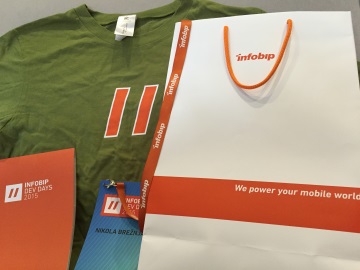
Infobip Dev Days 2015

Here are my notes from an awesome 4th Infobip Dev Days 2015 conference:

[toc]

Introduction

  • Presenter: Izabel Jelenić, Co-founder, CTO
  • infobip – 600+ employees (122 devs)
  • Worldwide A2P SMS traffic is expected to grow. Revenue > 45bn.
  • They handle 150M transactions daily.
  • They said they’re doing business with “one big social” network, but they didn’t name it actually, I wonder why is that (some kind of NDA or what? 🙂)
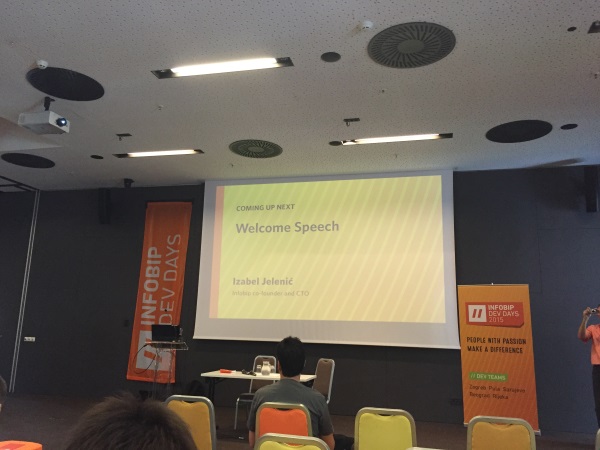
  • Picture time:
    infobip_intro

How we ended up doing continuous delivery

  • Presenter: Mario Žagar, Senior Software Architect
  • ASAP and as often we have to go into production
  • Unit & integration tests
  • Scaling cube
  • First they scaled by increasing monoliths
  • Then they took some parts out of the monolith (API, Billing, Inbound SMS, …) => easier to focus, possible to deploy independently
  • Typical feature deployment today:
    • Short lived feature branches with Git
    • Develop & run tests locally
    • Push feature branch to remote repository (Stash)
    • Jenkins – CI server builds the feature branch
    • Deployment artifacts published to Infobip repository (Artifactory)
    • Deploy feature branch to integration environment
    • Run tests on integration environment
    • Merge pull request to master branch & release
  • Average about 80 deploys per day
  • DevOps culture – you built it, you deploy it, you support it
  • Troubleshooting tools:
    • Graylog
    • Graphite
    • Grafana
    • Nagios
    • Seyren
    • HipChat
    • Ansible
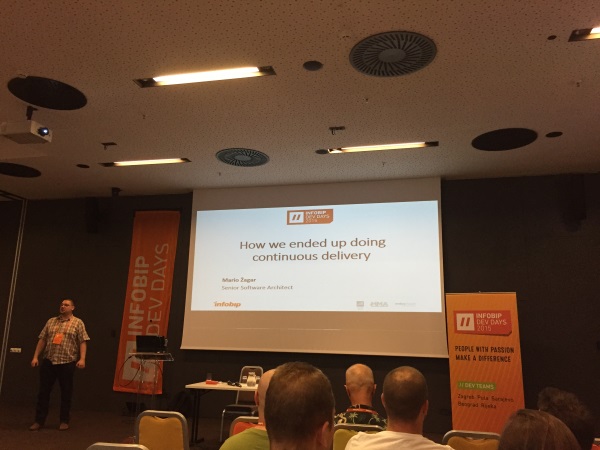
  • Picture time:
    infobip_ci_intro
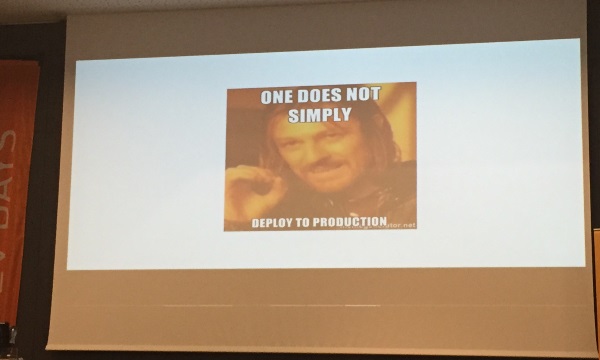
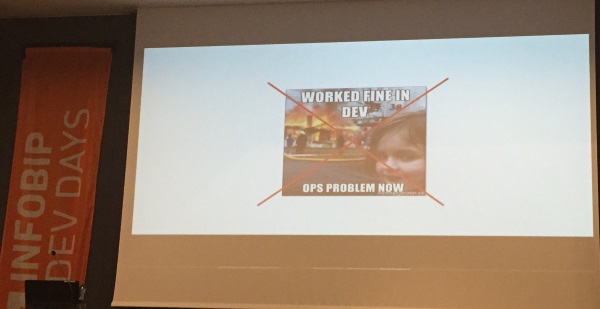
  • And a few more here, since, well, you know I love MEMEs:
    infobip_ci_deploy
    infobip_ci_devops

Scrum experience

  • Presenter: Marko Stipanov, Product Owner
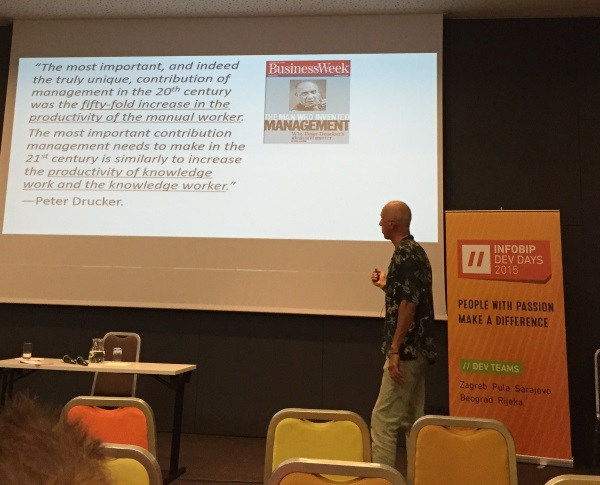
  • How to increase productivity?
    • hiring more devs?
    • best is to hire someone new and give them some totally new project
  • PDD – Panic Driven Development
    • the bigger the panic the greater priority
    • how relates to this, please hands up hand_rock_n_roll
  • they tried with daily report writing
  • Agile process manifesto
  • they divided their 60 devs at a time to 12 teams and each team works on a small project
  • Product Owner
    • vision and definition of products
    • goal setting
    • priority setting of the whole team
    • talks to stakeholders
  • Scrum ceremonies
    • organisation
    • iterative process
  • Scrum steps (they do the sprints fro 1-2 weeks instead of 2-4):
    • Product backlog
    • Sprint backlog
    • SPRINT
    • Deliverable
  • 1 project = 1 team
  • 1 team => more projects
  • Priorities are defined by business value
  • Kanban, Scrumban
  • Daily team lead meeting with just few minutes
  • You can’t do agile without teams!
  • Scrum definitely give us a better intercommunication.
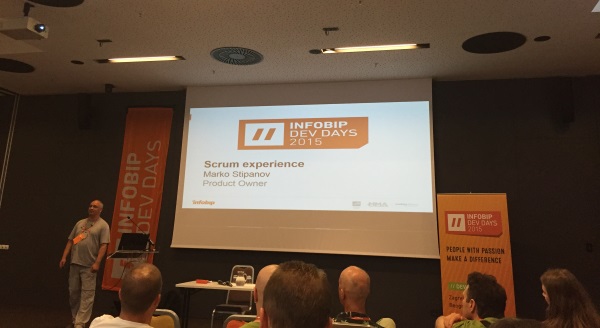
  • Picture time:
    infobip_scrum

Modern SQL

  • Presenter: Markus Winand, SQL expert and author
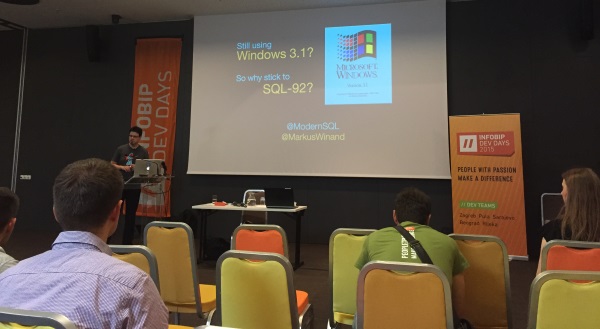
    modernsql_intro
  • SQL 99 broke the relational standard
    • LATERAL
      • “for each” loop of SQL
    • WITH
      • “private methods” of SQL
    • WITH RECURSIVE
      • “while” loop of SQL
  • SQL 2003
    • Turing complete
    • OVER and PARTITION BY
      SELECT dep, salary, SUM(salary) OVER (PARTITION BY dep) FROM ...
    • OVER and GROUP BY
      • actually, do this in the application, thank you very much
  • SQL 2008
    • SELECT TOP is not official – it’s FETCH FIRST ROWS ONLY
  • SQL 2011
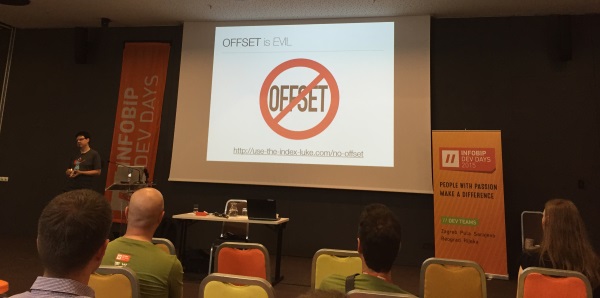
    • OFFSET is EVIL
      • http://use-the-index-luke.com/ modernsql_offset
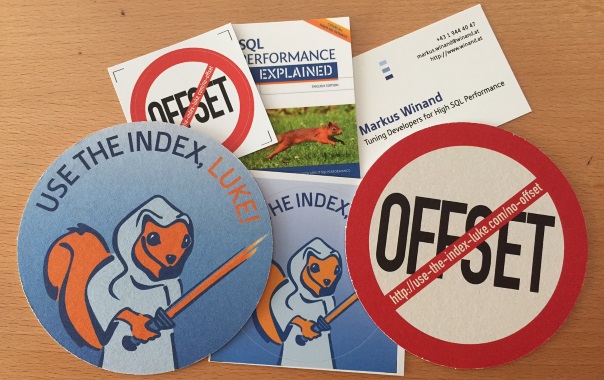
      • Also, the author was cool and he was giving these stickers:
        modernsql_offset_badges

Indexes: The neglected performance all-rounder

  • Presenter: Markus Winand, SQL expert and author
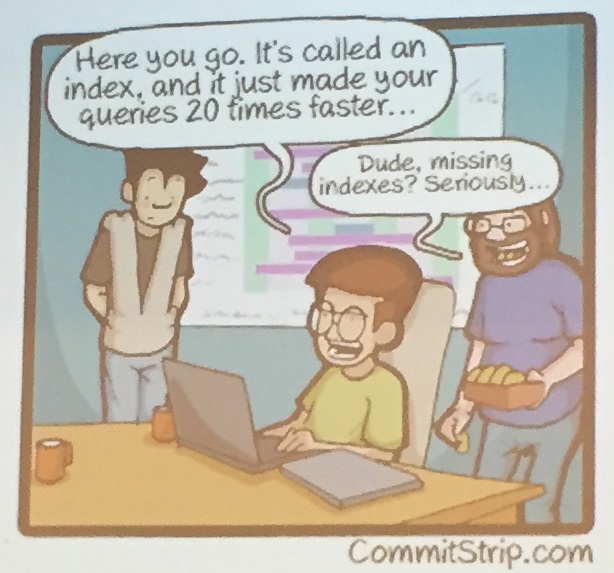
  • 50% SQL problems are caused by poor query/indexing
    index_comic
  • CREATE INDEX is not in the standard!
  • The solution- indexing is a development task!
  •  And now the author hits the spots when he explains that in
    • 11 SQL books he analyzed only 1% of the pages are about indexes
    • 14 database administration books he analyzed only 6% of the pages are about indexes
  • Everybody knows indexing is important for performance, yet nobody takes the time to learn and apply it properly.

Personal and Interpersonal Effectiveness

  • Presenter: Danilo Goliani, PhD professor, enterpreneur
  • Our clients are paying our paychecks!
  • Personal effectiveness – others have faith in me
  • Team effectiveness – I have faith in others
  • Organisational effectiveness – clients love us
  • Stephen R. Covey: 7 Habits of Highly Effective People
  • Courage – willingness and ability to express your thoughts and emotions
  • Don’t just say NO to your children – explain also WHY
  • Self induced interrupt
  • Brain Games
  • Picture time:
    danilo

Machine learning

  • Presenter: Jan Šnajder, PhD/assistant professor/FER
  • IBM Watcson Developer Cloud
  • 88% of unstructured data
  • #1 Top skill on LinkedIn 2014
  • Tools:
    • Weka
    • RapidMiner
    • Orange
    • R (mother of all)
    • Matlab (commercial)
    • mloss.org
    • Apache Mahout
    • Spark
    • Azure Machine Learning
    • Amazon Machine Learning
  • Picture time:
    machine

Java puzzlers

  • Presenter: Aleksandar Dostić, Senior Software Engineer IB
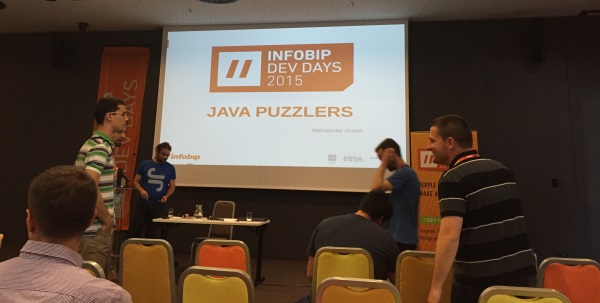
  • Picture time intro:
    java_intro
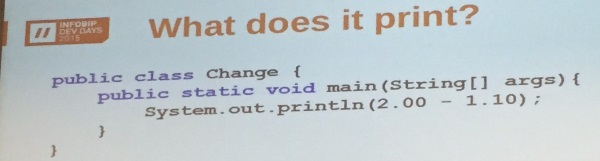
  • Puzzle 1:
    java_1
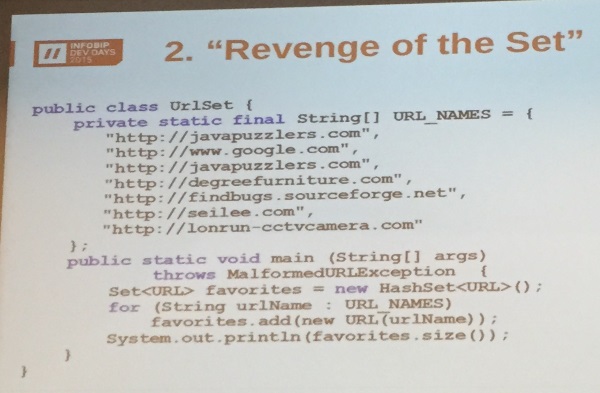
  • Puzzle 2:
    java_2
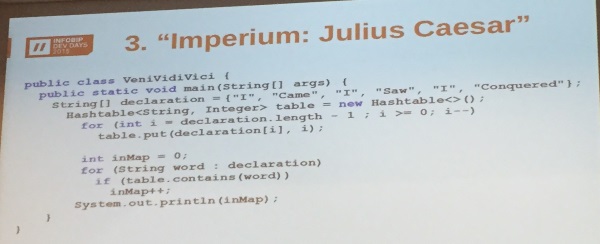
  • Puzzle 3:
    java_3
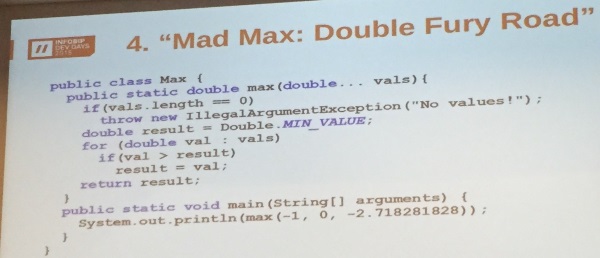
  • Puzzle 4:
    java_4
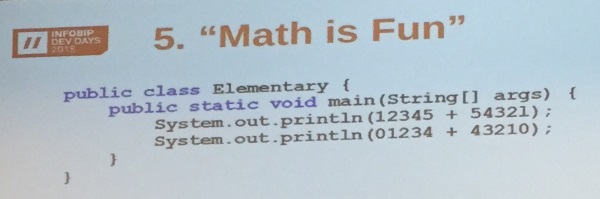
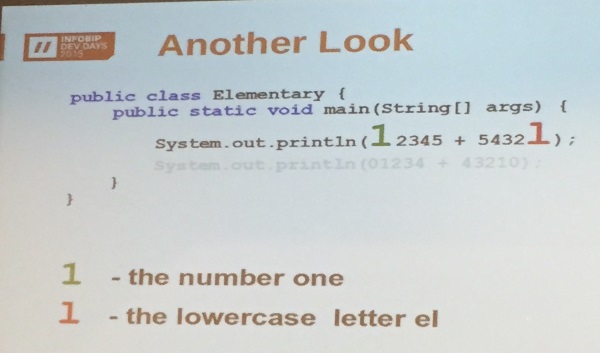
  • Puzzle 5 – the most sneaky one!
    java_5
    and here is why!!! shockedjava_5_explanation

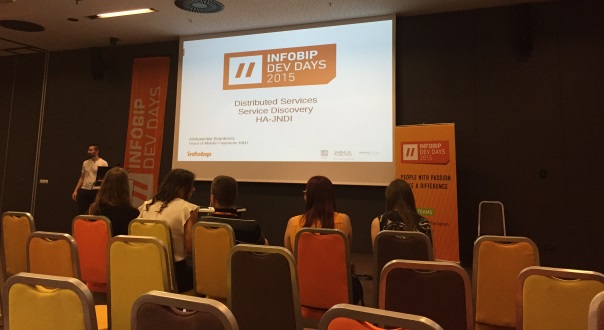
HA-JDNI as a Solution for Service Discovery in Distributed Systems

  • Presenter: Aleksandar Branjković, Head of Mobile Payments R&D
  • Picture time:
    ha


Breaking News, Ionic

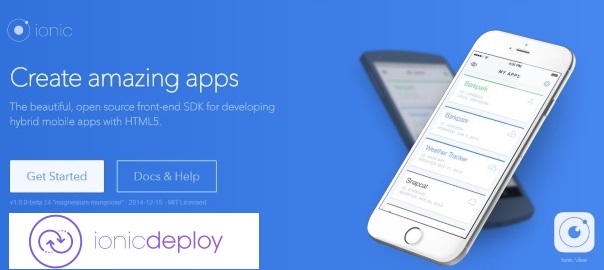
Ionic Deploy Alpha enables app update on the fly

Yesterday (10.06.2015) Ionic announced the Deploy Alpha which enables you to update your app without having to wait for the review & approval.

They say that

Ionic Deploy lets you update your app on demand for any changes that do not require binary modifications.

You can roll back to a previous version of your app, automatically apply updates, and control every aspect of the upgrade.

Also, the features that they list as upcoming are stunning to say the least:

  • live A/B tests
  • analytics
  • multiple version deployment to certain “Channels”

This is pretty awesome to be honest, and really shows that there is future for Ionic framework and that it’s a great time to be a hybrid app developer.

You can learn more about it from the official blog post.

CodeProject, Programming

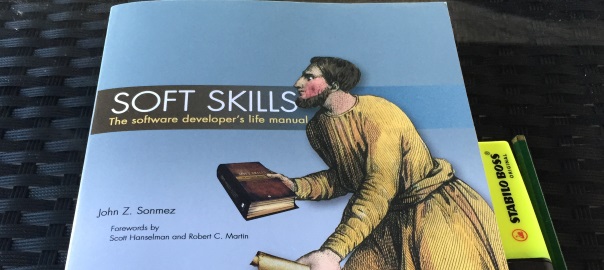
Soft Skills: The Software Developer’s Life Manual by John Sonmez

[18.09.2015] edit: I honestly can’t believe it! This awesome book is now also available as an audiobook! Now I’ll be able to listen to this ever so slightly awesome content even in my car! John Sonmez, congratulations!, this is probably the first ever programming related book to be published as an audiobook!

positiveFeedback

I reviewed the book Soft Skills: The Software Developer’s Life Manual by John Sonmez with 5 stars on Amazon with the following comment:

I believe Soft Skills will indeed become every software developers’ life manual, in a similar way as Code Complete 2 is.

I really enjoyed the book, and am recommending it to all my “IT” friends (just lent it today to a co-worker :)) – John Sonmez really poured his whole life experience into this, and for this I thank him since I think we all have something to learn from a man who made almost 50 courses for Pluralsight, wrote a bestseller, retired at 33, was a fitness model, bodybuilding contestant, and who is, well, just pure awesome. Btw, I also found that he’s damn speedy in answering any emails, so kudos for not being a hot headed superstar author as some these days play out to be.

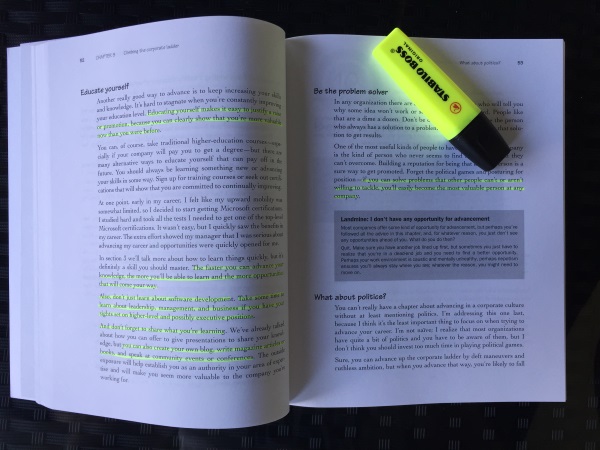
The book is divided in 7 chapters, and it’s packed with awesome content. Those of you who have been following my Books category know that I like to mark the passages that I find valuable from books that I read, like for example:
SoftSkills_highlights

but here I won’t be putting them online since that would be a whole lot portion of the book, and I don’t want to be chased for some copyright issues smileyGlasses. Instead I’ll just show you the images of the chapters and comment a bit about them.

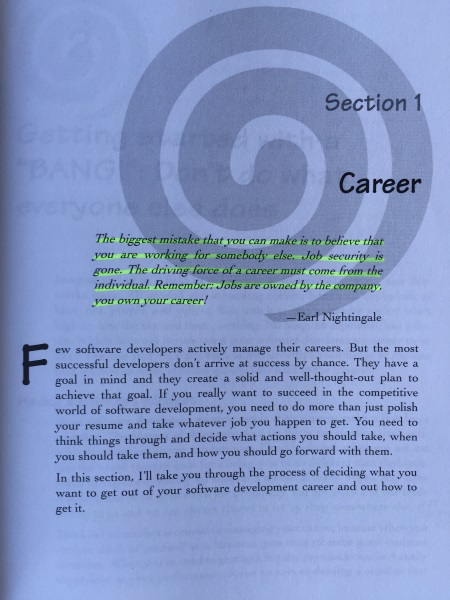
In the first section John talks about topics concerning ones career and steps to take in order to make the most out of it. Topics ranging from how to hack the interview, how to actually set goals, work as a freelancer, and even how to quit your job.
1

In the second section John talks about how to create your blog as a first thing you should do to start marketing yourself. John also has a free email course on how to build a successful blog, so make sure to get that free resource if you’re into starting your own blog, or increasing the views of your existing one.

2

In the third section John talks about why is continuous learning something you signed up for the minute you decided to make programming your calling. Also, he explains his own 10-step process for learning, which he used to learn and produce almost 50 courses on Pluralsight.
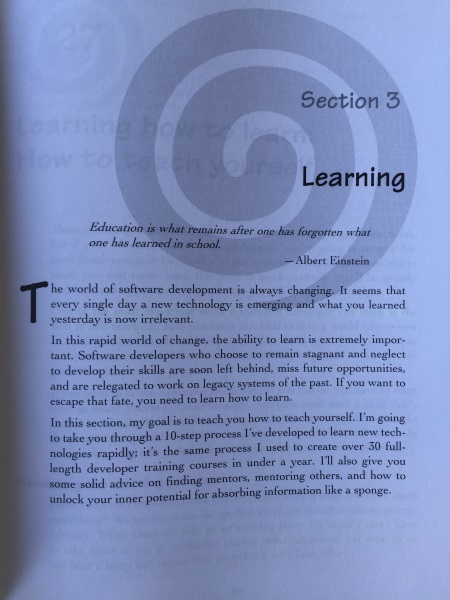
3

In fourth section John talks about methods and techniques he uses in order to stay crazily productive as he is. Few of them are KanbanFlow and Pomodoro technique.
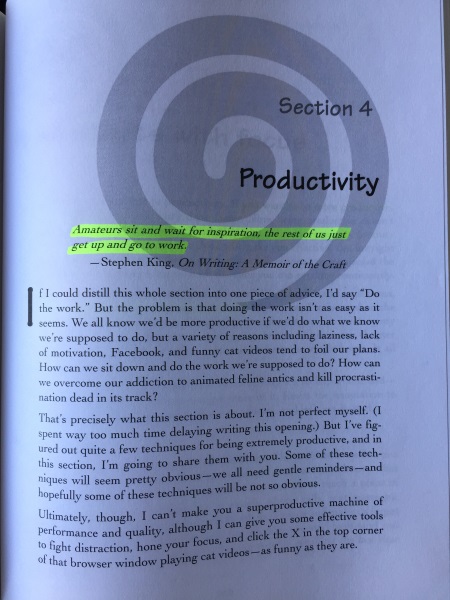
4

In the fifth section John shares his own method of how he retired at the age of 33. He seems to be highly influenced by authors such as Robert Kiyosaki, and you can see my notes from his book Rich Dad Poor Dad.

5

In sixth section John talks about the importance of fitness in developers life as a tool for increased productivity and better well-being. Also, he covers few of the tech gear for geeks like me (I love my FitBit).
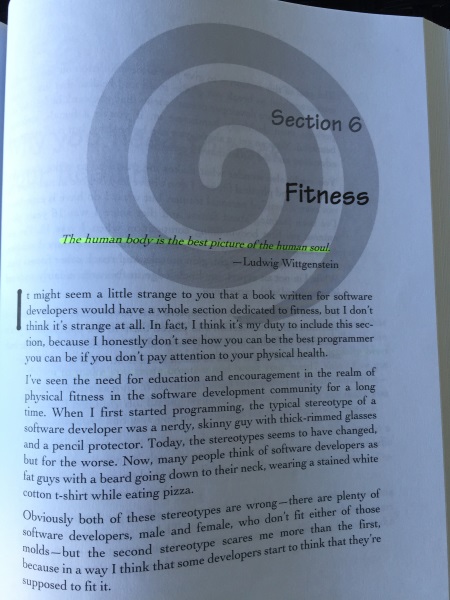
6

Section seven is all about having the right mental attitude, and I’ll quote one of my favorite authors, Napoleon Hill: “You can do it if you believe you can”. If you’re interested, you can read more Napoleon Hill quotes from my notes from his book Think and Grow Rich.
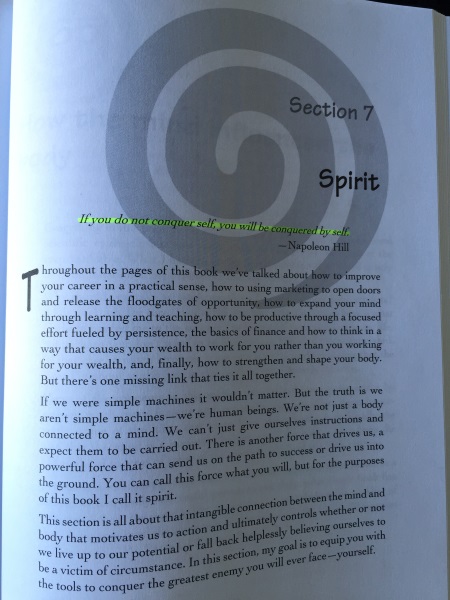
7

After the book I went on to check out his http://simpleprogrammer.com blog, and what’s awesome is that he gives a free email course on how to build a successful blog. Am currently on week 5, and am really learning some key things on what one should do in order to increase his blog credibility and, well, views. So, hope to see those 100k+ users monthly soon 😉


Stack Overflow

How to hide the cursor in Awesomium

profile for Nikola at Stack Overflow, Q&A for professional and enthusiast programmers
I’m a big fan of Stack Overflow and I tend to contribute regularly (am currently in the top 0.X%). In this category (stackoverflow) of posts I will will be posting my top rated questions and answers. This, btw, is allowed as explained in the meta thread here.

My question was:

How to hide the cursor in Awesomium – I tried this:

<awe:WebControl x:Name="webBrowser" Cursor="None" Source="http://example.com/"/>

but the cursor still shows.

I figured that I could alter the CSS of the page by adding the following line:

*{
    cursor: none;
}

But, is there a solution for when I don’t have the access to the actual page that I’m showing?

The answer, by user Sjoerd2228888, was:

You can use a ResouceInterceptor and manipulate the page on the fly to insert custom CSS.

EDIT:

The following implementation should do the job. (It assumes there is a text.css file)

class ManipulatingResourceInterceptor : IResourceInterceptor
{
    public ResourceResponse OnRequest(ResourceRequest request)
    {
        Stream stream = null;

        //do stream manipulation
        if (request.Url.ToString() == "http://your.web.url/test.css")
        {
            WebRequest myRequest;
            myRequest = WebRequest.Create(request.Url);
            Stream webStream = myRequest.GetResponse().GetResponseStream();
            StreamReader webStreamReader = new StreamReader(webStream);
            string webStreamContent = webStreamReader.ReadToEnd();

            stream = webStream;

            string extraContent = "*{cursor: none;}";

            webStreamContent += extraContent;
            byte[] responseBuffer = Encoding.UTF8.GetBytes(webStreamContent);

            // Initialize unmanaged memory to hold the array.
            int responseSize = Marshal.SizeOf(responseBuffer[0]) * responseBuffer.Length;
            IntPtr pointer = Marshal.AllocHGlobal(responseSize);
            try
            {
                // Copy the array to unmanaged memory.
                Marshal.Copy(responseBuffer, 0, pointer, responseBuffer.Length);
                return ResourceResponse.Create((uint)responseBuffer.Length, pointer, "text/css");
            }
            finally
            {
                // Data is not owned by the ResourceResponse. A copy is made 
                // of the supplied buffer. We can safely free the unmanaged memory.
                Marshal.FreeHGlobal(pointer);
                stream.Close();
            }
        }
        return null;
    }

    public bool OnFilterNavigation(NavigationRequest request)
    {
        return false;
    }
}
Quick tips

How to market your app as an indie developer

A video worth watching if you’re wondering how you should market your App. Also, a cool link I just stumbled upon today is the one on GitHub: App launch guide.

Btw, if you too like to increase your video playback speed, and you miss that in vimeo videos, check this post out to resolve this issue.

Quick tips

Vimeo video playback speed increase

Lately I’ve been watching some videos from Vimeo and it really annoyed me that it doesn’t have a video playback speed  increase option (since, well, you can listen most videos on 1.25 or 1.5 even – and since we’re all about time hacking ;)). So, after googling, I found that there is a Chrome plugin which does the job well.

Books

The Rosie Project – Graeme Simsion

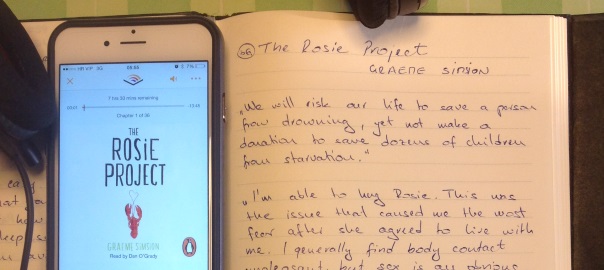
The quotes I noted from the book The Rosie Project by Graeme Simsion. This book was actually recommended  by Bill Gates, and here’s what he said about it:

This is one of the most profound novels I’ve read in a long time.

I also liked this book very much and marked it as a favorite on my Shelfari account and have commented it as

Try to imagine Sheldon Cooper (TBBT OFC) on a mission to find a wife. Well, you don’t have to – you can simply read this book :).Though am not a fan of romances, this one is excellent.

Anyways, the quotes:

We will risk our life to save a person from drowning, yet not make a donation to save dozens of children from starvation.

I am able to hug Rosie. This was the issue that caused me the most fear after she agreed to live with me. I generally find body contact unpleasant, but sex is an obvious exception. Sex solved the body contact problem. We’re now also able to hug without having sex, which is also convenient at times.

Stack Overflow

How to select all rows which have a field equal to {}

profile for Nikola at Stack Overflow, Q&A for professional and enthusiast programmers
I’m a big fan of Stack Overflow and I tend to contribute regularly (am currently in the top 0.X%). In this category (stackoverflow) of posts I will will be posting my top rated questions and answers. This, btw, is allowed as explained in the meta thread here.

My question was:

I see few rows like this in my table:

     id  | val
 --------+------------
    1    | {}
    2    | {}

Of course not all are equal to {}, and I would like to query them out and then update them to {0}. However, trying the following fails:

UPDATE table SET val={0} WHERE val={};

I must be missing something obvious, please point out what.

The answer, by user sandipon, was:


UPDATE table SET val='{0}' WHERE val='{}';
Page 35 of 52« First...102030«34353637»4050...Last »

Recent posts

  • Vibe Coding a Pokémon Search App with Replit
  • SendGrid Phishing Scam Attempts
  • Retrospective Questions
  • When espanso Breaks on Long Replacement Strings (and How to Fix It)
  • 2024 Top Author on dev.to

Categories

  • Android (3)
  • Books (114)
    • Programming (22)
  • CodeProject (36)
  • Daily Thoughts (78)
  • Go (3)
  • iOS (5)
  • JavaScript (128)
    • Angular (4)
    • Angular 2 (3)
    • Ionic (61)
    • Ionic2 (2)
    • Ionic3 (8)
    • MEAN (3)
    • NodeJS (27)
    • Phaser (1)
    • React (1)
    • Three.js (1)
    • Vue.js (3)
  • Leadership (1)
  • Meetups (8)
  • Miscellaneou$ (80)
    • Breaking News (8)
    • CodeSchool (2)
    • Hacker Games (3)
    • Pluralsight (7)
    • Projects (2)
    • Sublime Text (2)
  • PHP (6)
  • Quick tips (41)
  • Servers (8)
    • Heroku (1)
    • Linux (3)
  • Stack Overflow (81)
  • Unity3D (9)
  • VibeCoding (1)
  • Windows (8)
    • C# (2)
    • WPF (3)
  • Wordpress (2)

"There's no short-term solution for a long-term result." ~ Greg Plitt

"Everything around you that you call life was made up by people that were no smarter than you." ~ S. Jobs

"Hard work beats talent when talent doesn't work hard." ~ Tim Notke

© since 2016 - Nikola Brežnjak