Nikola Brežnjak blog - Tackling software development with a dose of humor
  • Home
  • Daily Thoughts
  • Ionic
  • Stack Overflow
  • Books
  • About me
Home
Daily Thoughts
Ionic
Stack Overflow
Books
About me
  • Home
  • Daily Thoughts
  • Ionic
  • Stack Overflow
  • Books
  • About me
Nikola Brežnjak blog - Tackling software development with a dose of humor
Ionic, Pluralsight

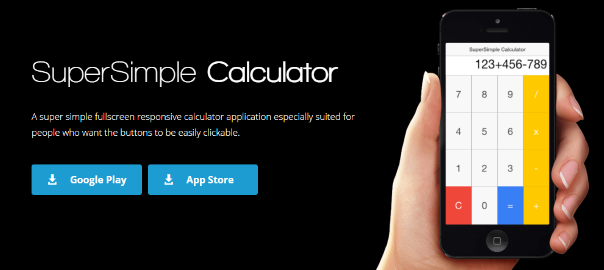
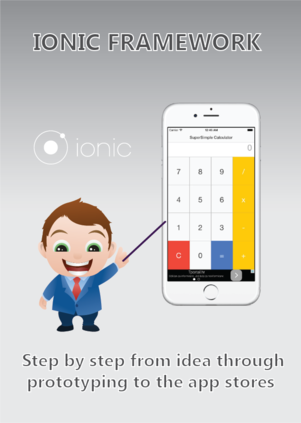
How to create a calculator application with Ionic framework by using Ionic Creator for UI

edit: the old link is not working anymore and all four posts have now been merged into one huge post: Ionic Framework: A definitive 10,000 word guide.

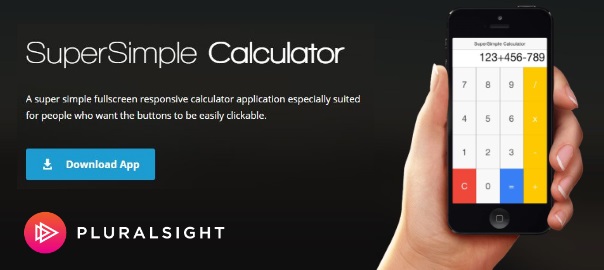
In my second tutorial about Ionic framework for Pluralsight, I’m going to show you how to create a calculator application with Ionic framework by using Ionic Creator for UI.

The post is live and you can access it for free here: How to create a calculator application with Ionic framework by using Ionic Creator for UI.

The first tutorial, as you may remember, was all about how to get started with Ionic framework on Mac andWindows. This will be a series of posts which will teach you how to take advantage of your web development knowledge in building hybrid applications for iOS and Android.

If you have any questions please don’t hesitate to ask, and please share if you like it.

How to create a #calculator application with #Ionic #framework by using Ionic #Creator for UI https://t.co/A7wCaKOunX

— Nikola Brežnjak (@HitmanHR) December 1, 2015

Ionic, Pluralsight

My new post about Ionic on Pluralsight

I haven’t posted in three weeks now, but there’s a good reason for it – I was preparing a post for Pluralsight on the topic of Ionic. This will be a series of posts which will teach you how to take advantage of your web development knowledge in building hybrid applications for iOS and Android.

I’m super excited that the first  post is now live (I have additional 3 in the queue) and you can check it out here: How to get started with Ionic framework on Mac and Windows.

If you have any questions please don’t hesitate to ask, and please share if you like it.

Miscellaneou$

Ekobit DevArena X 2015

Post moved here: http://www.nikola-breznjak.com/blog/miscellaneou/ekobit-devarena-10-2015/

Miscellaneou$

Ekobit DevArena X 2015

I just came home from the ever so slightly awesome Ekobit DevArena X conference. As I usually do, I’ll share my notes that I took in my notebook and a few pictures.

Start your engines

Well, you can’t start a day on an empty stomach, right?

IMG_5014

This is how the accreditation looked like:
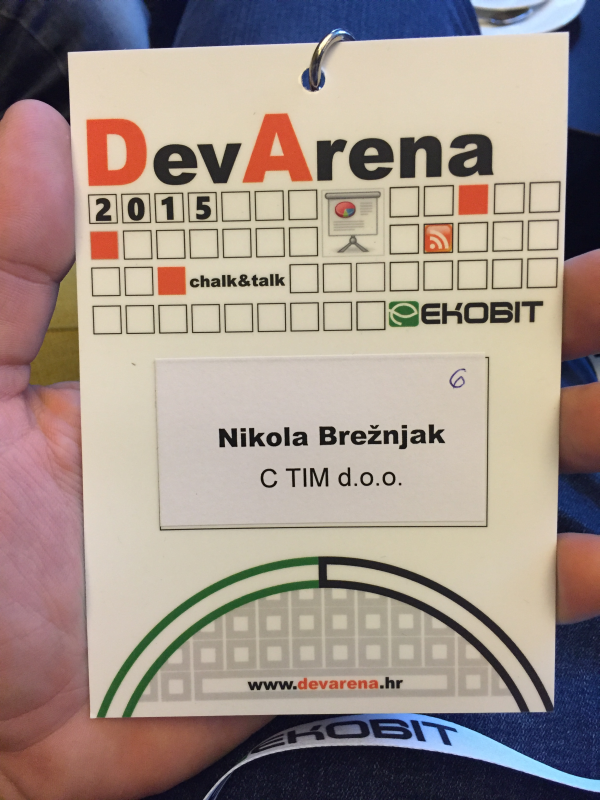
IMG_5015

The accreditation had a handy list of all the presentations on the back side:
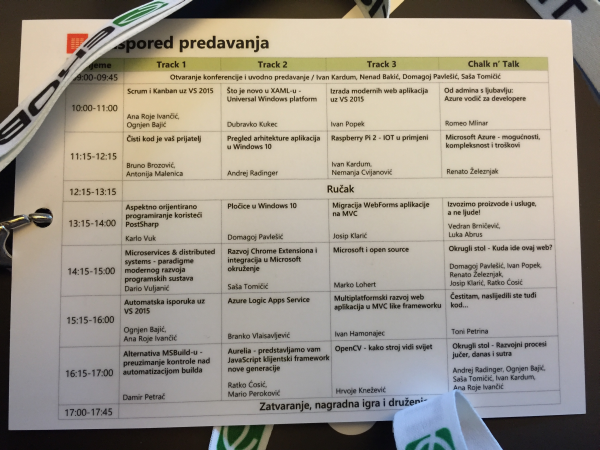
IMG_5016

As you can see, there were 4 tracks between which you could choose (yes, you could go to any presentation in any of the tracks in a certain timeslot). Chalk n’ Talk presentations are actually a cool thing where they aren’t actual presentations rather something like a round table where the presenter(s) discuss their real life experiences (and the input from the crowd is also highly desirable).

Keynote

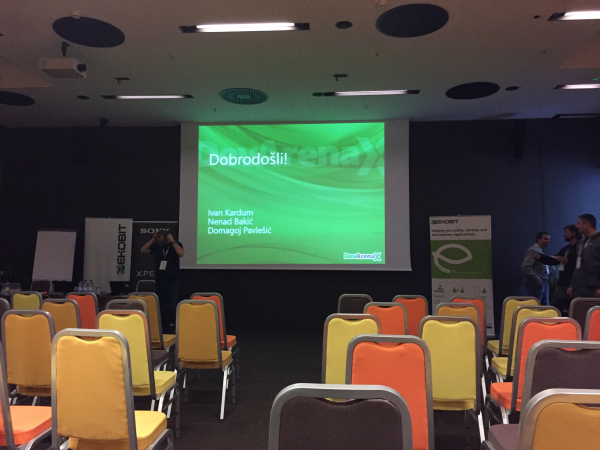
  • Presenters: Ivan Kardum, Nenad Bakić, Domagoj Pavlešić and Saša Tomičić
  • 10th in a row Ekobit DevArenaIMG_5017
  • A very interesting project called Croatian Makers by Nenad Bakić who was very inspiring and kudos for starting all this
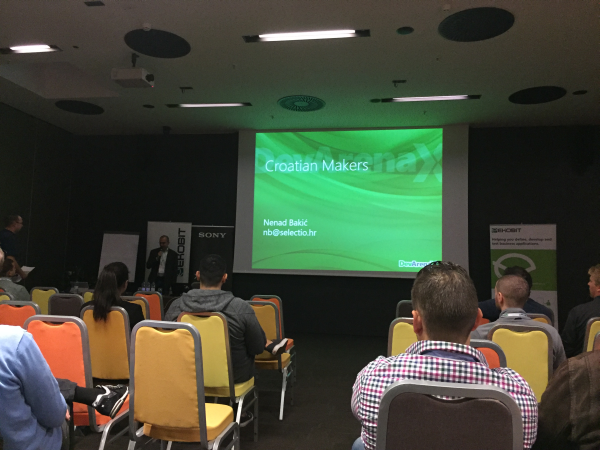
    IMG_5018
  • They donated robotical equipment to over 50 schools in Croatia
  • Serwantes
  • Fantom 3
  • Lego Mindstorms – can’t wait to get this for my little girl! Yeah, I know it’s an excuse for me to play with it too 🙂
  • He shared a quite intriguing image with us:
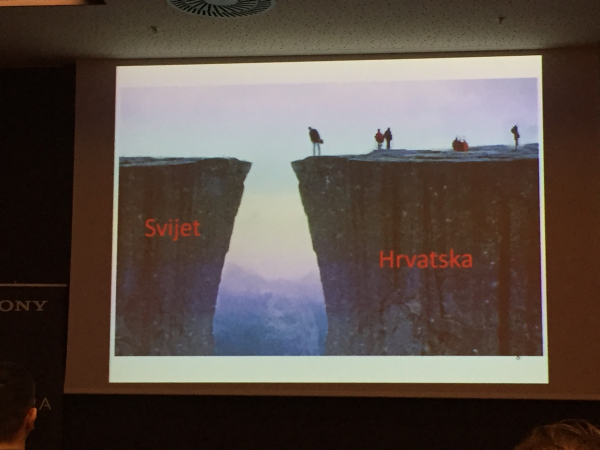
    IMG_5019

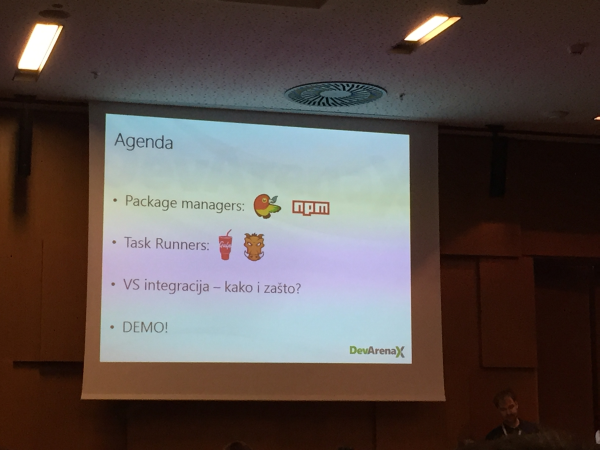
Modern web application development in Visual Studio 2015

  • Presenter: Ivan Popek
  • IMG_5022
  • IMG_5023
  • Bower and npm come preinstalled with Visual Studio 2015. I wrote a detailed tutorial for Digital Ocean about Bower if you want to take a look.
  • Gulp and Grunt are task runners which offer tools like minification, concatenation, linting, etc…
  • Personally, I like Gulp better because of it’s clearer syntax
  • Gulp is faster because it uses streams
  • Git and Node are also preinstalled by default on VS 2015
  • The way you “add” packages for Bower is that you create a bower.json file in the Solution explorer and as soon as you hit Save it installs the listed dependencies. It creates the Dependencies folder and a bower_components folder
  • bower install runns automatically after you open up the project
  • To add Gulp create a package.json file in the Solution explorer and as soon as you hit Save npm will install it. You can add additional Gulp dependencies the same way.
  • To start writing Gulp tasks, create a gulpfile.js and hack on 🙂
  • Visual Studio 2015 has a nice TaskRunner explorer where you can run the tasks manually. However, it’s way better to set a “watch” task inside Gulp so that it runs the tasks automatically for you. For example, if you’re using SASS it will compile to CSS automatically on every change to the SASS files. You can set the watch tasks to run after you reoppen the project with Watch -> Bindings->Project open

Clean code is your friend

  • Presenters: Bruno Brozović and Antonija Malenica

    IMG_5024
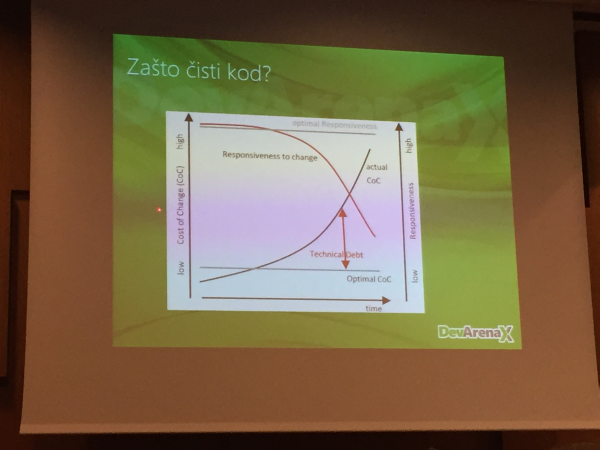
  • Technical debt
  • Writing code : Reading code = 1 : 10 in terms of time. It’s way better to invest time at the beginning to write “clean code” as it will pay of in the later stages of the project
    IMG_5025
  • The boy scout rule – always leave the campground cleaner than you found it
  • YAGNI (You ain’t gonna need it) – do not add functionality until deemed necessary
  • KISS (Keep It Simple Stupid) – Simplicity is better than complexity
  • DRY (Don’t Repeat Yourself) – every piece of knowledge must have single, unambigious, authorative representation within system
  • Principle of least surprise – do the least surprising thing
  • SRP (Single Responsibility Principle) – a class should have only one reason to change
  • Single level of abstraction
  • Methods
    • names – detail and descriptive
    • short
    • number of arguments as small as possible (0, 1, 2)
    • SRP
  • Comments – you should strive to write selfdocumenting code
  • Classes
    • QualitatyClassName (25-30 characters)
    • SRP
    • smaller number of cohesive classes
    • Open Closed Principle – open for extension, closed for modification
  • Learning test
  • And now, a spectacle! In a room of about 100 people when the question “How many of you are using Unit testing?” was asked only 4 people raised their hands 1415131129_smiley-evil

Lunch

smileyGlasses

IMG_5026

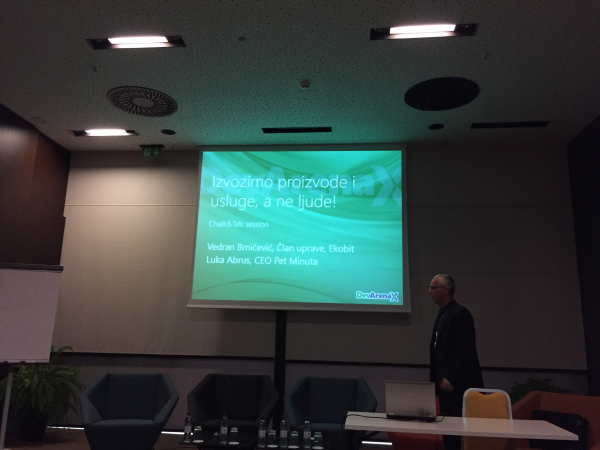
We’re outsorcing products and services, not people!

  • Presenters: Luka Abrus (Five Minutes), Vedran Brničević (Ekobit)
    IMG_5027
  • Ekobit started in 1992
    • ALM, BizDataX
  • Five minutes needed 7 years to come to the point where 100% of the things they do is on the USA market
  • Customer feedback by literally going live from door to door and ask
  • Landing pages + AdWords + Sign me up
  • Nobody buys enterprise software without a support
  • Europe’s problem is language barriers from country to country
  • Funny anecdote: when you say to an American that you’re from Croatia: “Oh, yes Dubrovnik – Game of Thrones!”. Also funny one was “oh, you’re just a Russian school of mathematics”. And thus, they believe we are good programmers; designers not so much.
  • You need to be willing to hop the plane and go to a meeting at any time
  • Five Minutes has currently 12 free spots
  • NY Area software developer 150-200$ per hour (jaw-dropping!)
  • Quality is everything!
  • Put your code to GitHub, designs to Dribble, Behance
  • The main problem that both of the presenters expressed was that there are just not enough (quality) developers

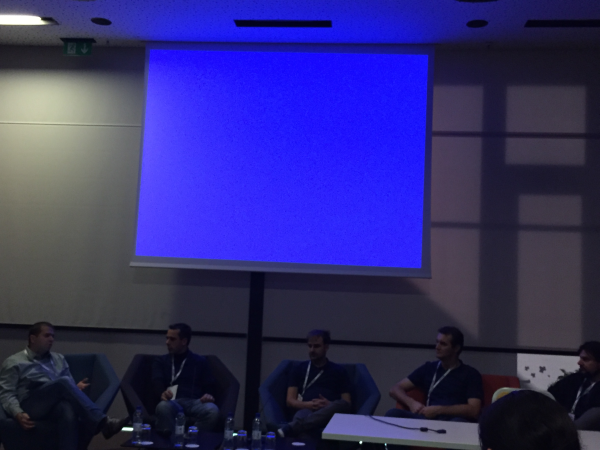
Where is this web going?

  • Presenters: Domagoj Pavlešić, Ivan Popek, Renato Železnjak, Josip Klarić, Ratko Ćosić
  • this was a round table like presentation
    IMG_5029
  • Browser as an Operating System
  • Microsoft is slowing down the Web standardization
  • Too many JS frameworks (you don’t say 😉)
  • NO for monolith framework
  • Use linting
  • Gridster, Selectize, Knockout
  • Throw jQuery out
  • TypeScript two thumbs up

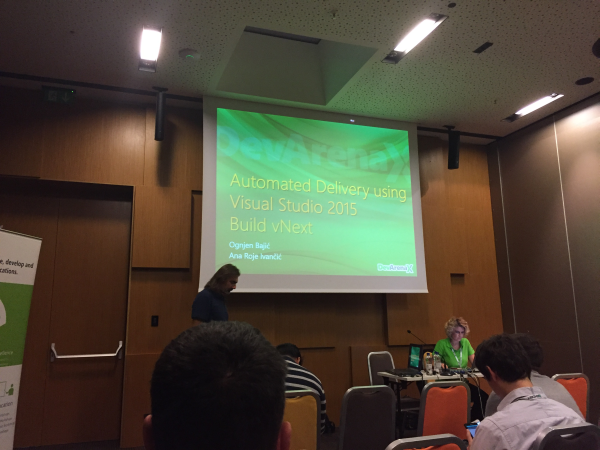
Automated delivery in Visual Studio 2015

  • Presenters: Ognjen Bajić and Ana Roje Ivančić
    IMG_5030
  • Build vNext
  • 2015 Intentional Extensibility – open source
  • Custom build workflows
  • Real time output
  • Versioning
  • Cross-platform build (Win, Mac, Linux)
  • Build .NET, Java, Android, iOS
  • Ant, CMake, Maven, Xcode Build, Android Build
  • Agents, Pools, Queues
  • Testing, web performance, load tests

Aurelia – new generation JavaScript framework

  • Presenters: Ratko Ćosić and Mario Peroković
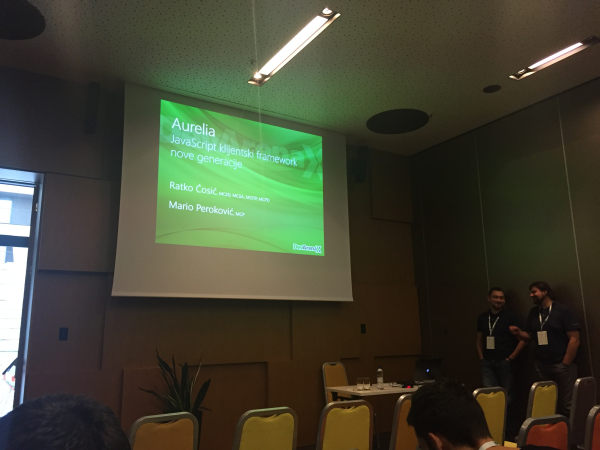
    IMG_5036
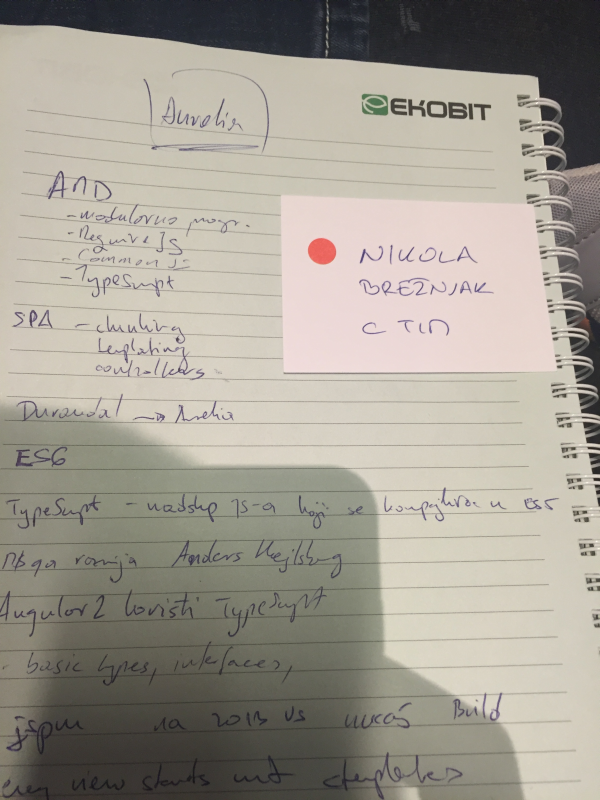
  • AMD
    • modular programming
    • RequireJS
    • CommonJS
    • TypeScript
  • SPA
    • chunking
    • templating
    • controllers
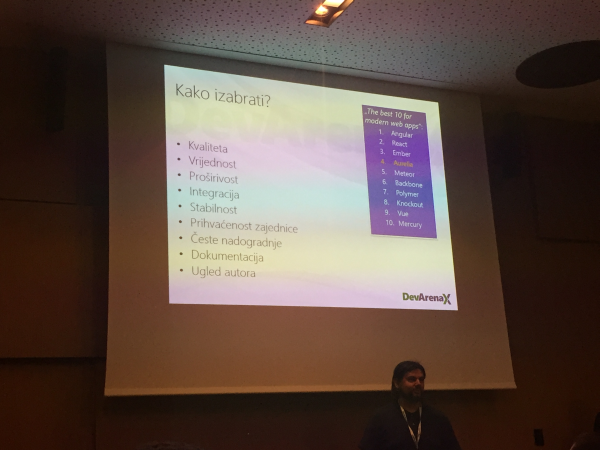
  • Which framework should I choose?
    IMG_5037
  • Durandal -> Aurelia
  • JavaScript is a subset of TypeScript which is compiled in ES5. Microsoft is developing along with Anders Hejlsberg (C# creator)
  • Angular2 uses TypeScript
  •  Every view starts with <template>
  • MVVM – model view view-model
  • DI – dependency injection
  • Parent view models
  • Routing
  • Screen activation lifecycle
  • uses jspm
  • jspm install aurelia-http-client
  • <input type=”text” value.bind=”firstName” /> and then reference it like ${firstName}
  • Debugging
    • compile-spy
    • view-spy

They had a nice additional prize draw for those who asked questions (you get a small paper which you toos in a drawing bowl). I got mine on the last presentation. However, no luck in winning something 🙁
IMG_5039

However, as every year, they are giving prizes for the first few people who sign up for the conference. This year I signed up at 6th place, and because of that I got a nice 2 tickets at Terme Tuhelj, and also a nice hoodie with a number 6 🙂IMG_5047

Thanks and hope to see you next year!

Sublime Text

How to set up live Markdown preview on Windows with Sublime Text and Markmon

If you write on the web, you must have come across the awesome Markdown:

a text-to-HTML conversion tool for web writers. Markdown allows you to write using an easy-to-read, easy-to-write plain text format, then convert it to structurally valid XHTML (or HTML).

You can learn more about it from the official documentation.

There are many editors that allow you to write in Markdown but, as I found, most of them require a license. Besides, wouldn’t it be great that your own editor would have a Markdown support? That’s why I love Sublime Text, it has a plugin for everything. Well, ok, it doesn’t have a plugin to throw out sandwiches from your computer, but I guess it will be able to in the not so distant future. smileyGlasses

Ok, jokes and wishes aside, let see how to set up live Markdown preview on Windows with Sublime Text and Markmon plugin.

Install Markmon:

npm install -g markmon

Install pandoc.

Install Markmon Sublime Text plugin through its Package Control (search for “Markmon”).

Make sure you have markmon and pandoc in your PATH variable.

Run markmon in the folder where is your .md file, like this:

markmon myMDfile.md

open up your browser at localhost:3000.

Write on! hand_rock_n_roll

How to set up live #Markdown preview on #Windows with #Sublime Text and #Markmon http://t.co/ROZZxCbvGb

— Nikola Brežnjak (@HitmanHR) October 18, 2015

Miscellaneou$

The winner of my Grammarly prize draw

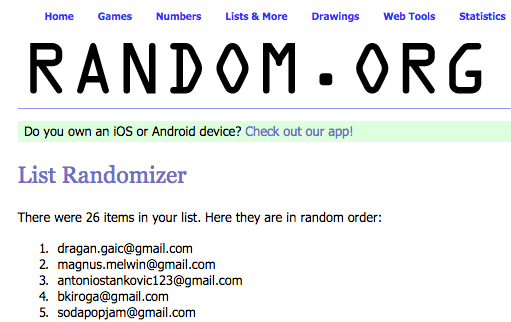
A month ago I started a Grammarly prize draw. I added all of the emails in the random.org and here are the top 5:

Screen Shot 2015-09-20 at 21.25.37

I’ve listed 5 in case someone will maybe not want it or would like to give it to someone else or would not get back to me in a decent period of time (I also sent a newsletter about this). I’m expecting the winner to contact me via my email address and also to comment below in this post.

Thanks all for participating, I’m hoping that I’ll have a next one soon, and this time I was thinking it would be great if the prize would be a Sublime Text 3 license – what do you think?

Breaking News, Ionic

Ionic announces Ionic Market – make money with the framework you love

Ionic publically announced Ionic Market on their blog.

On the market (http://market.ionic.io/) you can buy (and even sell):

  • project starters (Firebase, Parse, Heroku, etc…)
  • plugins (swipable cards, timepickers, maps, etc…)
  • themes (material design, tumblr alike, etc…)

There are even some free ones available at the moment, so you may want to check that out.

Since other markets emerged and you could have found similar items on sites like themeforrest, it comes as a nice and warm surprise that the Ionic team basically said they approve that:

We also want to help the markets that have popped up naturally, rather than compete with them.

Additionally, a statement that reimburses that is:

In addition to being able to sell your wares directly on the Ionic Market site, you can also link externally to your existing marketplace, where users can purchase your add-on on the site where you’re already selling it. This effectively makes the Ionic Market just another way to help developers find your add-on.

I bet this announcement made the authors very happy. Even more so, when they realize that Ionic Market takes no commission:

Because we wanted to encourage the creation of a vibrant ecosystem of Ionic add-ons that will mature over time, we’re not taking a cut on any sales. You can sell your add-ons directly on the Ionic Market through Stripe, so the only fees are the taxes and fees Stripe collects. Connect your Stripe account to the Market, and all funds after taxes and credit card processing fees go directly to you!

This, my dear friends, is just getting better and better with every new announcement they make!

Miscellaneou$

What have I learned from writing 200 posts?

TL; DR

This is my 200th post on this blog. I wrote some additional ones for other “high roller” sites, which you can see below along with my other most popular posts. Consistency is the sole driving force that lead to this point.

The beginnings

As I noted in my 100th post overview, it all started with the post Carcassonne scoring board application which I decided to post after reading James Clear’s post on why we should be makers instead of just consumers.

My approach

I just want to help people by bridging this seemingly invisible gap between the awesome programmers and not-so-awesome programmers how would use a bit of step by step help, by making my tutorials straight to the point with each step, without skipping the ever so slightly “obvious” parts.

This “obvious” part, as our math professor used to joke, usually tends to “take just a bit of additional calculations” – and before you know it, just after 45 minutes of additional 2-3 pages of derivations, you’re done…

I too tend to go over the tutorials when I’m learning something  new, and I feel frustrated when the steps they outline are not complete, and then I have to spend a day figuring it out (sorry, no mister Sherlock Holmes here). I don’t do this in my tutorials, instead I try to give you the exact step by step that I myself used when solving a particular issue. Also, I tend to welcome you to share your problems, you may have encountered, in the comments.

As someone smart said (paraphrased, as I couldn’t find the exact author – if you happen to know, ping me in the comments):

You learn the best when you have to teach someone something.

And this has been my guide idea. Because, I realized that if I can’t put my explanation on the paper/screen in order to explain my train of thought, then I probably don’t understand the core basics behind it at all. Albert Einstein said it best:

If you can’t explain it simply, you don’t understand it well enough.

Homerun posts

The posts for which I’m most proud are the MEAN stack series posts, which I wrote for HackHands (and which had almost 500000 [yes, that’s half a million] views combined):

  • How to get started on the MEAN stack
  • Delving into Node.js and Express web framework
  • MongoDB CRUD the MVC way with Passport Authentication
  • Finishing Angular TODO application and deploying to production
  • MEAN.io VS MEAN.js and deploying the latter on DigitalOcean

And, the blog2book that I’ve self-published from these posts: Getting MEAN with MEMEs – Deploying MEAN TODO application to production.

I posted the 100th post on December 28, 2014. That means it took me 8 moths to write the additional 100 posts (12 posts per month on average (not including the HackHands post which are large, mildly said (last one is 8k+ words))). Anyways, not bragging or anything (this is sort of my reference point), just hope I’ll manage to keep up with this pace in the future too and that I’ll be able to check back to this reference point with a yet even better “score” give the number/quality ratio.

Of the other high roller sites, I wrote a post for DigitalOcean (which I recommend wholeheartedly) titled “How to manage front-end dependencies with Bower on Ubuntu 14.04“, which is also currently in review phase and will post the link once it goes live.

How did I do it?

Above all, as James Clear says (he’s cool btw, make sure you check him out if you want to build better habits), the most important thing is consistency. And, the key point about making consistency “easy” is doing something that doesn’t exert too much effort from you in order to start it in the first place.

Start small, increase gradually, but stay consistent with a minimum number. So, to be concise, I write 300 words every day minimally. Every day. Some days it may be more, but I just need to make sure it’s not less.

This tends to be a small number, but consider you write consistently for 33 days? You’ll have roughly 10k words, which is easily 10 posts with 1k words. Extrapolate this to a year and you’ll have over 100 posts with 1k words each, which in itself is pretty great if you ask me. Ok, true, not high roller pro style, but hey, we’re in it for the fun and education, right? – all the extras are welcome but not mandatory.

What’s next for me?

Well, lately, as you may know, I’m really into Ionic framework, and I’m writing tutorials about it, along as I learn the ins and out of the framework. Also, just recently I became a technical reviewer for PacktPub for the book Learning Ionic and I was a technical reviewer for the video Rapid Ionic from PacktPub. I’ll update the links to both books once they’ll be published.

Some of my most viewed Ionic framework posts:

  • Adding AdMob to Ionic framework application step by step
  • Check network information change with Ionic framework
  • Posting data from Ionic app to PHP server
  • Handling Ionic CORS issue
  • How to redirect users if there is no Internet connection in Ionic framework?
  • Ionic announces Ionic Lab – a GUI tool replacement for Ionic CLI
  • Use Ionic or Cordova?
  • Create icons and splash screen automatically with ionic resources

Also, I’m writing tutorials on the subject of Ionic for HackHands. The first one in the series is titled: How to get started with Ionic framework on Mac and Windows (I’ll update the link once the post gets published, since it’s currently in the review phase). Since these arranges prevent me from posting them on my site too, I’ll make excerpts and just link to them from my blog on a monthly basis (same as with my newsletter; since I don’t want to be bothering you guys too much with too much email – we all hate email ;)).

If you happen to like my style of presenting the “tough” subjects, please share with me in the comments what topics would you like to see covered next?

Cool, but your theme sucks

I kind of agree on this one. Since I’m not a designer and I don’t quite know what I want exactly (shocking, I know; yeah, I bet designers get this line a lot from their employers). So, I’m looking into making a better theme for my blog – do you happen to have a favorite one, or do you want to feature the one you made – share it in the comments. I actually may give it a try on Freelancer to find my new theme, the same way I got my new logo designed:

I’ll blog about how this process was refreshingly positive (and not expensive) in my experience, and will link it here – so, stay tuned because more awesome content is coming!

See you at 300

That’s all folks, see ya at 300!

Miscellaneou$

Grammarly is my best investment in a while

edit: The prize draw is over and the winner was announced here.

TL;DR

  • Grammarly is awesome, you should check it out
  • It has a free version you can try with no credit card (or similar mumbo jumbo) needed
  • Subscribe to my blog to enter the prize draw

Prize time

I’ve partnered with Grammarly and I will be giving a free one month of Grammarly Premium (worth $29.95) to a random subscriber of my blog.

To enter the draw:

  • subscribe to my blog (if you don’t see where – mail me) if you still haven’t (I promise that I don’t spam or any crazy mumbo jumbo like that – I only send a monthly roundup of the best posts I wrote).
  • subscribe to Grammarly

I’ll be running this promotion for the next week (ending on 21.08.2015), so chop chop.

Story time – I love stories

So, yeah, you’ve seen the nice little advertisement I have showing on the right-hand side of the blog (first up, straight into your face 1415131129_smiley-evil):

Along with a “catchy” heading of Best $$$ I spent in a while. And it even has a free version!

I’m a developer, and we all know how we tend to hate advertisements and how they just feel wrong. Some of us, more technically inclined people, may even tend to use AdBlocker$™ and therefore not even see this advertisement smileySad.

Anyways, part of the reason why I made this post is to indeed truly express my deepest joy with using Grammarly. Indeed, they have a freaking free version you can try indefinitely without a credit card or any other mumbo jumbo that you may come to on the Internetz these days. The best thing in my opinion is that in addition to normal grammar checking, they also check for context and alert you if they think you have some contextual error. Also, in a paid version they offer plagiarism checks, which is awesome for hunting down those bloody suckers that copy your content…

To try it out for yourself, go to their landing page, and click on the Get Grammarly button:

grammarlyInstall


Thankfully, NO credit card is needed to set up an account:grammarlyInstall_2


On the next step you can choose the free version with which you would get the following features:

  • 100 points of grammar checking
  • Contextual Spellchecker
  • Punctuation checks
  • Works anywhere on the web

grammarlyInstall_3

At any later stage, if you wish, you can opt in to try the Premium version that has the following features:

  • advanced error checking for complete confidence in your writing
  • 250+ points of grammar
  • Style checks
  • Vocabulary enhancement
  • Plagiarism detection
  • Document type checker (business, academic, etc.)
  • Microsoft® Office™ add-in

Anyways, when you open up the free version you’ll be greeted with the Tutorial on how to use the Editor:

grammarlyInstall_4

What’s especially awesome is that you can install a Chrome browser extension (they also have one for Safari, and the one for Firefox is coming soon) and with this you would get the Grammar checker and all the other awesome free features directly in programs like Gmail, Facebook, WordPress, LinkedIn, etc…

grammarlyInstall_5

Even if you don’t use Chrome, you can use their online editor (which works in any browser):

grammarlyInstall_6

As you type in aforementioned applications (Facebook, Gmail, LinkedIn, etc.) Grammarly will check what you type in real-time and it will immediately notify you if you made some grammar or logical mistake, and you can apply the suggested changes simply by clicking on the suggestion.

Why did I buy a premium version?

Because in addition to normal grammar checking, they also check for context and alert you if they think you have some contextual error. Also, the plagiarism checker is awesome for hunting down those bloody suckers that copy your content…

grammarlyInstall_7


All in all, it’s free, so check it out without commitment, and make you subscribe to the blog to enter the draw.

I will be announcing the winner in a new blog post (to which I’ll link from here once it’s up), one week (at the latest) after the end of the promotion.

Good luck!

Proper disclosure: This post contains affiliate links. If you click the link and make a purchase this I will receive a small commission. Thank you in advance!

Breaking News, Ionic

Ionic announces Ionic Lab – a GUI tool replacement for Ionic CLI

From the official blog post, Ionic just announced a new shiny tool called Ionic Lab; which is a GUI tool that tends to be a replacement for the well know Ionic CLI for those who don’t quite like the CLIs.

Hmm, anyone like that reading this blog? I personally like using CLIs better, in general, but that’s just me I guess. <3 Terminal. However, I just might do an exception with this tool.

Currently, they only have a version for Mac (with a Windows version supposedly coming soon. Edit: windows version has been announced today (16.09.2015), and you can learn more about it on their blog) and you can download it from the official download page. Once you download the IonicLab.dmg file, just run it and drag the icon in the Applications folder, as instructed by the installer:

ionicLabInstall

If you try to run the app via Spotlight, you may get an error “Ionic Lab can’t be opened because it is from an unidentified developer” like shown on the image below:

ionicLabRunError

If you’re quite new to the Mac world (as I am), you can resolve this issue by opening up your Applications folder, locating Ionic Lab icon and right clicking the icon and selecting Open.

ionicLabApplicationsFolder

Now a similar popup will appear, but this time  with the Open option:Screen Shot 2015-08-12 at 23.37.06

Select the Open option and you should get the initial Ionic Lab screen:

Screen Shot 2015-08-12 at 23.44.55

I tested this by dropping my IonicAdMob (link to Github project) application to it, and this is what happened:

Screen Shot 2015-08-12 at 23.48.06

At this point, even though I like CLIs more (as I noted in the introduction) I must say this is pretty awesome. Additionally, if you click on the PLUGINS tab you will see:

Screen Shot 2015-08-12 at 23.49.49

Here you can literally install the plugins by simply clicking on the checkboxes.

What’s even more exciting is that they announced that in the future they’re looking to improve it in terms of:

  • including a one-click system setup
  • adding Cordova plugin search
  • adding Ionic resources generation for icons and splash screens
  • adding Ionic Platform integration for push notifications
  • adding Ionic Creator integration
  • and quite some more things, which you can learn more from their blog post

All this, I must say, is pretty damn awesome and I’m really rooting for them so that they make all their plans into reality.

Bye bye, I’m going to play with my new shiny tool now for a while…

Page 5 of 8« First...«4567»...Last »

Recent posts

  • Caffeinate your Mac to prevent it from sleeping
  • Vibe Coding a Pokémon Search App with Cursor
  • Vibe Coding a Pokémon Search App with Replit
  • SendGrid Phishing Scam Attempts
  • Retrospective Questions

Categories

  • Android (3)
  • Books (114)
    • Programming (22)
  • CodeProject (36)
  • Daily Thoughts (78)
  • Go (3)
  • iOS (5)
  • JavaScript (128)
    • Angular (4)
    • Angular 2 (3)
    • Ionic (61)
    • Ionic2 (2)
    • Ionic3 (8)
    • MEAN (3)
    • NodeJS (27)
    • Phaser (1)
    • React (1)
    • Three.js (1)
    • Vue.js (3)
  • Leadership (1)
  • Meetups (8)
  • Miscellaneou$ (80)
    • Breaking News (8)
    • CodeSchool (2)
    • Hacker Games (3)
    • Pluralsight (7)
    • Projects (2)
    • Sublime Text (2)
  • PHP (6)
  • Quick tips (42)
  • Servers (8)
    • Heroku (1)
    • Linux (3)
  • Stack Overflow (81)
  • Unity3D (9)
  • VibeCoding (2)
  • Windows (8)
    • C# (2)
    • WPF (3)
  • Wordpress (2)

"There's no short-term solution for a long-term result." ~ Greg Plitt

"Everything around you that you call life was made up by people that were no smarter than you." ~ S. Jobs

"Hard work beats talent when talent doesn't work hard." ~ Tim Notke

© since 2016 - Nikola Brežnjak