

Nikola Brežnjak blog - Tackling software development with a dose of humor
  • Home
  • About me
Home
About me
  • Nikola Brežnjak blog
  • Home
  • About me
Stack Overflow

Include an object defined outside Angular ecosystem into a factory

profile for Nikola at Stack Overflow, Q&A for professional and enthusiast programmers
I’m a big fan of Stack Overflow and I tend to contribute regularly (am currently in the top 0.X%). In this category (stackoverflow) of posts, I will be posting my top rated questions and answers. This, btw, is allowed as explained in the meta thread here.

I asked this question myself:

We’re having an argument, which I hope you guys will help resolve.

Say I have a simple factory defined like this:

angular.module('myModule', [])

.factory('Fact', function() {
    var Fact = function() {
        var that = {};

        that.var1 = [];
        that.var2 = [];

        return that;
    };

    var fact = {
        get: function() {
            return Fact();
        }
    };

    return fact;
});

I found out that this code will be working if I write it like this:

angular.module('myModule', [])

.factory('Fact', function() {
    var fact = {
        get: function() {
            return Fact();
        }
    };

    return fact;
});


var Fact = function() {
    var that = {};

    that.var1 = [];
    that.var2 = [];

    return that;
};

Namely, I can take this code of the object Fact and put it in some other plain .js file, include it before the Angular one (in index.html file) and this “would work”.

However, I’m trying to resolve an argument that this approach is not good (well, not an Angular approach at that) because then this Fact is “laying around on the global scope”, which is not good.

In which circumstances would you say that this is/isn’t a good solution?

Is there a way to include a “nonAngular” code (simple JavaScript code written in some .js file) into the Angular factory?

I accepted the answer from user Dan Prince:

Between factories, services, providers, constants and values, there’s not really a good reason to have any code outside of Angular’s constructs unless it’s third party code.

If it is, you won’t have control over the way that the library, framework, etc registers itself. It might use the global scope, alternatively, it might provide a module export.

Where possible, the cleanest and safest way to include third party code inside Angular is with a build-step using a module bundler.

For instance, I want to use the hypothetical package foojs from inside Angular using browserify:

Install the package with npm

npm install --save foojs

Then use it like this.

var foojs = require('foojs');

var app = angular.app('myapp')

app.service('myservice', function() {
  // here we can use foojs safely
});

You can also achieve similar things with WebPack.

The reason this is safer is because after the build step, all the modules will be wrapped inside a function that protects the global scope.

If you aren’t able to use a module bundler, then the only option is to use the global scope and allow the third party code to bind onto the window object.

https://twitter.com/HitmanHR/status/676654486115454976

Books

Four Thousand Days – Duane Jackson

I got this awesome book from an, even more, awesome author Duane Jackson, after a discussion on Twitter where we realized that Amazon.co.uk decided that Croatia was not on the list of countries that would be eligible for the free ebook (even though the author marked the book as free). In the end, the author said that I should contact him and that he’ll send me a physical copy to my address.

The book arrived:

IMG_5513

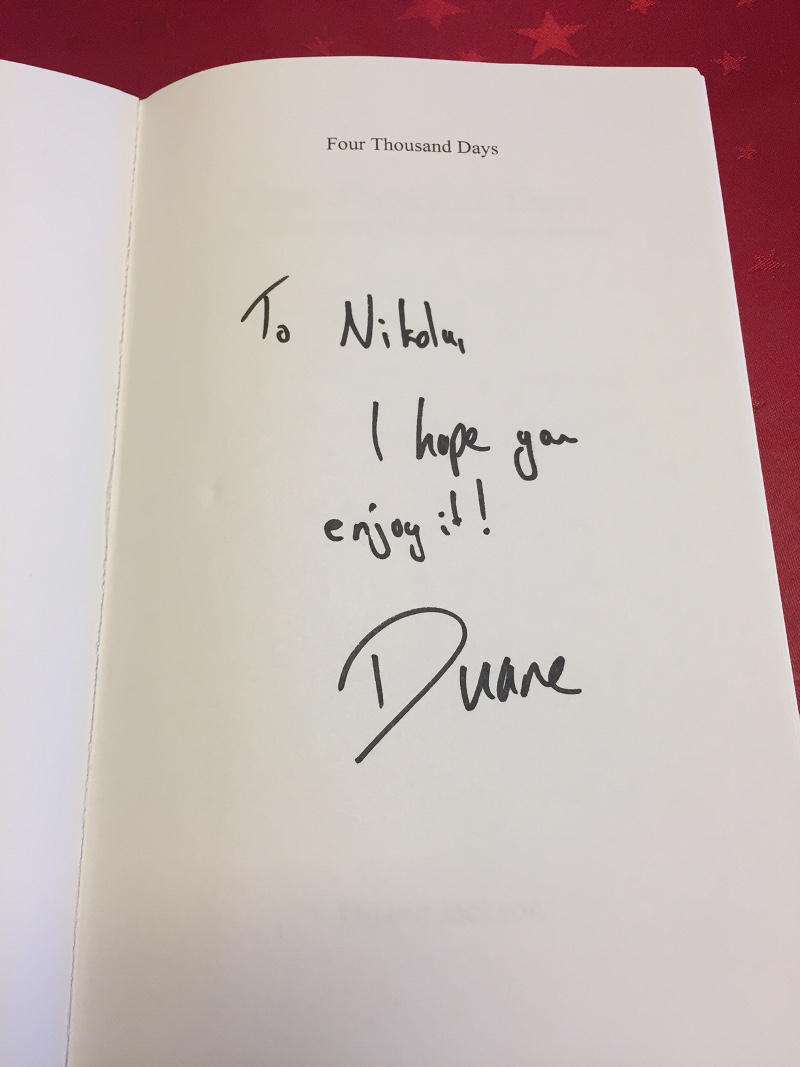
And I was just joking with my friends after I told them about it: “How awesome would it be if the book would be signed?!”. Aaaaaand, what do you know:

IMG_5514

In my book, Duane Johnson is da man! So, thanks again, you really made my day!

Btw, I really liked the book, had a few laughs and learned some valuable things. I wonder if some of my blog readers use his KashFlow (the service that he built and talks about how in the book)?

In the book, the author writes about how he managed to build the business after doing the time. He summarizes it really well at the end of the book:

I hope that by reading this book you’ve found out the secret of how to do this. The secret is that there is not secret. There was no overnight success or magic button to press. It was a case of being determined, working hard and not allowing yourself to be at the mery of fate of other peoples will.

Other quotes (and funny situations) that I liked from this book:

If you don’t design your own life plan, chances are you’ll fall into someone else’s plan. And guess what they have planned for you? Not much. ~ Jim Rohn

I’ve never been great at getting up in the morning, but staying up till 3am certainly didn’t make it any easier.

We’re in the infamous Blind Beggar in London’s Whitechapel, where Ronnie Kray shot dead George Cornell. (Legend; great movie starring Tom Hardy as Kray twins)

Everyone knew I never took drugs, so they quite literally took the piss out of me. My urine became incredibly valuable on testing days.

You can’ hit Jacko said Dodger, That’s like hitting a part of the furniture.

Ben picked me up in his BMW convertible. It was a summer day and the roof was down. I shouted at him to slow down, as I thought he was doing 100 mph but in fact, he was only going at 25. For the last 18 months nothing had gone faster than a quick walk.

I learned the valuable lesson of never doing work without getting paid something up front.

Actually getting started in business wasn’t as difficult as I thought. It really was as easy as finding people who needed what you could offer and agreeing on price.

I’m sorry, Duane he said in ear shot of the others. We won’t be able to have our daily management meeting tonight.

Enerpreneurship is living a few years of your life like most people won’t, so that you can spend the rest of your life like most people can’t.

Duane, it’s your mate will.

The future of boxed software

Breaking News, Ionic

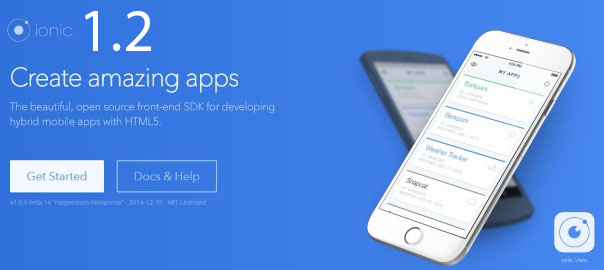
Ionic 1.2 is out!

The team from Ionic announced their new 1.2 version today. This should get you very excited because the things these guys are making are truly praiseworthy.

As they say in the report:

  • it has over 100 bug fixes
  • uses native scrolling by default on all platforms (which means better responsiveness on Android especially)
  • new Slide box component (use the new <ion-slides> tag)
  • support for Windows 10 and Edge, which runs on the new Windows Phone 10 platform
  • if you want to build a mobile website, you’re fully and officially encouraged to do so (not just an app for the app store). As many of you know, this was not the case so far.
  • new <ion-input> tag
  • dropping support for the raw HTML and CSS versions of Radio and Checkbox, instead you’ll have to use directives <ion-radio> and <ion-checkbox>
  • better integration with Cordova plugins in terms of better console log error output
  • Ionic Native
  • …

You can read the full report on their blog post: http://blog.ionic.io/announcing-ionic-1-2/.

@ionicframework Awesome Ionic 1.2 is out! Mobile website mode supported! https://t.co/QsdhghpPdP pic.twitter.com/pvFpZVARvg

— Nikola Brežnjak (@HitmanHR) December 10, 2015

Ionic, Pluralsight

How to polish, create icons and splash screen images, add ads, share and test our calculator application

In my third tutorial about Ionic framework for Pluralsight, I’m going to show you how to:

  • polish,
  • create icons and splash screen images,
  • add ads,
  • share and test our calculator application

The post is live and you can access it for free here:  How to polish, create icons and splash screen images, add ads, share and test our calculator application.

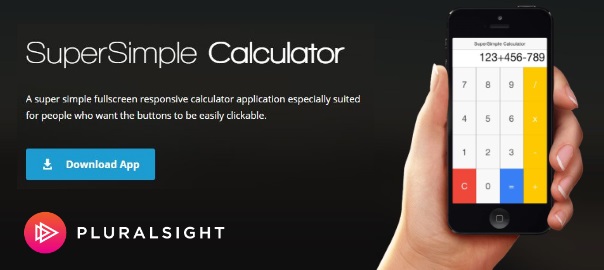
Btw, if you’re wondering where is the main image from, it’s actually from a landing page of the published apps (we’ll show you how to do that for both Play Store and App Store in the next tutorial), and you can take a look at it here: SuperSimple Calculator.

This will be a series of posts which will teach you how to take advantage of your web development knowledge in building hybrid applications for iOS and Android.

The first tutorial, as you may remember, was all about how to get started with Ionic framework on Mac andWindows. The second tutorial was about how to create a calculator application with Ionic framework by using Ionic Creator for UI.

If you have any questions please don’t hesitate to ask, and please share if you like it.

How to polish, create #icons and #splash screen images, add #ads, share and test our #ionic #calculator application https://t.co/52k5f1G9CH

— Nikola Brežnjak (@HitmanHR) December 9, 2015

Ionic, Stack Overflow

How to deploy Ionic as a website?

profile for Nikola at Stack Overflow, Q&A for professional and enthusiast programmers
I’m a big fan of Stack Overflow and I tend to contribute regularly (am currently in the top 0.X%). In this category (stackoverflow) of posts, I will be posting my top rated questions and answers. This, btw, is allowed as explained in the meta thread here.

As you may know, I’m really into Ionic framework lately and am helping out on StackOverflow with the knowledge I gained so far with the framework. I’m in the top All time answerers list.

edit: As of version 1.2 Ionic is officially saying that you are free to deploy Ionic as a website.

I answered this question by user Ayush Chordia:

I have created an ionic app and want to deploy it as a website. What’s the best way to deploy it on a custom domain ? I was thinking of using azure web app to host the ionic app. All the documentation refers to use it as hybrid app for IOS and Android. But at this point we are only interested for it to function as a website.

In my answer I disagreed with this one:

As I stated in the comment to the only provided answer – I disagree.

If you’re not using any Cordova plugins then there is no problem (if you really wish to) to upload the contents of the www folder to your server, and woila – you’ll have the same app.

However, it is important to note that Ionic never intended for such a use, and the users of your “website” will have to have a newest browser in order to see the “website” correctly (not broken down due to some feature that Ionic is using in either CSS or HTML that some older browsers do not support).

You can see such example here: http://nikola-dev.com/IonicCalculator/mobile.html, and you can take a look at the tutorial with step by step on how to recreate the application. I literally took out the contents of the www folder and put it on the web server, and as you can see it works.

https://twitter.com/HitmanHR/status/674121400911863808

Books

UR – Stephen King

My notes from the book UR by the master Stephen King, which I marked as favorite and rated  5/5 on my Shelfari account.

Why don’t you just read from the computer, like the rest of us!?

Living well isn’t the best revenge; loving well is.

Can you keep a secret? Say no and I’ll have to kill you.

https://twitter.com/HitmanHR/status/673728553876389888

Ionic, Pluralsight

How to create a calculator application with Ionic framework by using Ionic Creator for UI

edit: the old link is not working anymore and all four posts have now been merged into one huge post: Ionic Framework: A definitive 10,000 word guide.

In my second tutorial about Ionic framework for Pluralsight, I’m going to show you how to create a calculator application with Ionic framework by using Ionic Creator for UI.

The post is live and you can access it for free here: How to create a calculator application with Ionic framework by using Ionic Creator for UI.

The first tutorial, as you may remember, was all about how to get started with Ionic framework on Mac andWindows. This will be a series of posts which will teach you how to take advantage of your web development knowledge in building hybrid applications for iOS and Android.

If you have any questions please don’t hesitate to ask, and please share if you like it.

How to create a #calculator application with #Ionic #framework by using Ionic #Creator for UI https://t.co/A7wCaKOunX

— Nikola Brežnjak (@HitmanHR) December 1, 2015

Ionic, Stack Overflow

ionic plugin add phonegap-plugin-push results in a 404 Not Found Error

profile for Nikola at Stack Overflow, Q&A for professional and enthusiast programmers
I’m a big fan of Stack Overflow and I tend to contribute regularly (am currently in the top 0.X%). In this category (stackoverflow) of posts, I will be posting my top rated questions and answers. This, btw, is allowed as explained in the meta thread here.

As you may know, I’m really into Ionic framework lately and am helping out on StackOverflow with the knowledge I gained so far with the framework. I’m in the top All time answerers list.

I actually asked this question myself:

I was following the official (and rather great) docs over at Ionic for how to get started with push notifications.

However, once the instructions said to install the phonegap-plugin-push plugin, I received the following error:

nikola@Nikolas-Mini ~/Desktop/ionicTesting/ionicPush
> ionic plugin add phonegap-plugin-push
Error: 404 Not Found: phonegap-plugin-push
at RegClient.<anonymous> (/usr/local/lib/node_modules/cordova/node_modules/cordova-lib/node_modules/npm/node_modules/npm-registry-client/lib/request.js:304:14)
at Request._callback (/usr/local/lib/node_modules/cordova/node_modules/cordova-lib/node_modules/npm/node_modules/npm-registry-client/lib/request.js:246:65)
at Request.self.callback (/usr/local/lib/node_modules/cordova/node_modules/cordova-lib/node_modules/npm/node_modules/request/request.js:236:22)
at Request.emit (events.js:110:17)
at Request.<anonymous> (/usr/local/lib/node_modules/cordova/node_modules/cordova-lib/node_modules/npm/node_modules/request/request.js:1142:14)
at Request.emit (events.js:129:20)
at IncomingMessage.<anonymous> (/usr/local/lib/node_modules/cordova/node_modules/cordova-lib/node_modules/npm/node_modules/request/request.js:1096:12)
at IncomingMessage.emit (events.js:129:20)
at _stream_readable.js:908:16
at process._tickCallback (node.js:355:11)

Anyone has an idea of why? I tried with cordova instead ionic but I get the same error.

Also, I managed to find the answer myself:

After quite some searching I stumbled upon an official blog post, Cordova is moving their plugins to npm.

So, finally, I installed it easily now with npm:

npm install phonegap-plugin-push

https://twitter.com/HitmanHR/status/671596248764428289

Books

The art of being unmistakable – Srinivas Rao

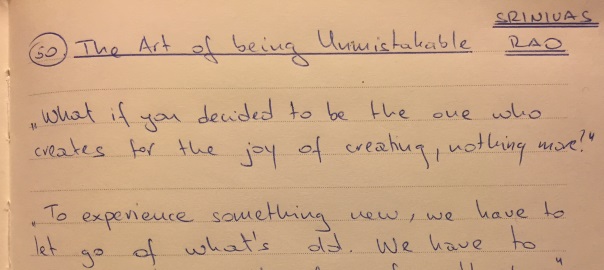
My notes from (currently) free book The Art of Being Unmistakable: A Collection of Essays About Making a Dent in The Universe by Srinivas Rao, which I rated  4/5 on my Shelfari account.

What if you decided to be the one who creates for the joy of creating, nothing more?!

To experience something new, we have to let go of what’s old. We have to remain calm in the face of setbacks.

My greatest sin was to waste my life believing that I wasn’t capable of something more.

How long are you willing to act like a pro without any of the external rewards that come with it?

If you try to miomic, copy er emulate anybody else, at best you will be a pale imitation.

The only way to really stand out online is to be honest.

None of these things define you as a person: Your education The size of your bank account Your job title Your failures Your successes And sadly, we let so many of these things rule our lives. Obsession with crossing off the checkboxes of society’s life plan leads to little other than therapy, midlife crises, and depression.

Worrying about what other people think is a jail of our own creation, and the irony of it is those people are in the same jail with us.

The “No bullshit” version of who you are can work with a compass. Your ego needs a map because it does not quite understand the wise words of Paul Jarvis, “Nobody is successful because they took somebody else’s roadmap and copied it.

To become truly unmistakable I have to be willing to ditch the map, travel without a guidebook, and see where it leads me.

https://twitter.com/HitmanHR/status/671227308649353216

Ionic, Stack Overflow

Firebase $authWithOAuthRedirect doesn’t call $onAuth without page refresh

profile for Nikola at Stack Overflow, Q&A for professional and enthusiast programmers
I’m a big fan of Stack Overflow and I tend to contribute regularly (am currently in the top 0.X%). In this category (stackoverflow) of posts, I will be posting my top rated questions and answers. This, btw, is allowed as explained in the meta thread here.

As you may know, I’m really into Ionic framework lately and am helping out on StackOverflow with the knowledge I gained so far with the framework. I’m in the top All time answerers list.

I actually asked this question myself:

I have a simple Firebase Facebook OAuth login set like below by following the official tutorial for the Ionic Firebase Facebook login.

The problem is that once I click on the login with Facebook button, I get redirected to Facebook, I log in, and I get redirected back to my app. However, the problem is that I stay in the login page. Strange thing is that if I physically refresh my browser (testing with ionic serve) by pressing F5 the onAuth triggers and I get redirected to the Items page. If I don’t refresh the browser, onAuthdoesn’t get called.

Did someone have this issue? How did you solve it?

Please note that yes, I did my research (and am slightly starting to lose it), but can’t get it to work. I searched SO, tried with $timeout from google groups, tried to call $scope.$apply(), but all to no avail – so please help me figure out where I’m doing it wrong?

.controller('AppCtrl', function($scope, Items, Auth, $state, $ionicHistory) {
    $scope.login = function(provider) {
        Auth.$authWithOAuthRedirect(provider).then(function(authData) {

        }).catch(function(error) {
            if (error.code === "TRANSPORT_UNAVAILABLE") {
                Auth.$authWithOAuthPopup(provider).then(function(authData) {
                    
                });
            } else {
                console.log(error);
            }
        });
    };

    $scope.logout = function() {
        Auth.$unauth();
        $scope.authData = null;

        $window.location.reload(true);
    };

    Auth.$onAuth(function(authData) {
        if (authData === null) {
            console.log("Not logged in yet");
            $state.go('app.login');
        } else {
            console.log("Logged in as", authData.uid);
            
            $ionicHistory.nextViewOptions({
                disableBack: true
              });
            $state.go('app.items');
        }
        $scope.authData = authData; // This will display the user's name in our view
    });
})
<ion-view view-title="Members area">
    <ion-content padding="true">
        <div ng-if="!authData">
            <button class="button button-positive button-block" ng-click="login('facebook')">Log In with Facebook</button>  
        </div>       
        
        <div ng-if="authData.facebook">
            <div class="card">
                <div class="item item-text-wrap">Hello {{authData.facebook.displayName}}!</div>                
            </div>

            <button class="button button-assertive button-block" ng-click="logout()">Log out</button>
        </div>        

    </ion-content>
</ion-view>

edit: I sort of solved it by using $timeout:

$timeout(function(){
    Auth.$onAuth(function(authData) {
        if (authData === null) {
            console.log("Not logged in yet");
            $state.go('app.login');
        } else {
            console.log("Logged in as", authData.uid);

            $ionicHistory.nextViewOptions({
                disableBack: true
              });
            $state.go('app.items');
        }
        $scope.authData = authData; // This will display the user's name in our view
    });
}, 3000);

However, this just feels wrong (mildly put), and there has to be a better way, so please suggest one. Also, I noticed that the whopping 3second delay is barely enough (few of the resources I found suggested 500ms would be enough, but in my case, that’s not the case).

Answer, from user mhartington, was:

Posted on the github issues, but will reply here as well.

This only happens in the browser using $authWithOAuthRedirect. The example was intended for cordova apps, so this really shouldn’t be an issue.

But if you really need it, you could just skip the redirect and use a popup.

Auth.$authWithOAuthPopup(authMethod).then(function(authData) {
      console.dir(authData);
    });

https://twitter.com/HitmanHR/status/671222279121076224

Page 29 of 53« First...1020«28293031»4050...Last »

Recent posts

  • Why You Should Start Blogging (Even If Nobody Will Read It)
  • Speed Reading
  • Impostor Syndrome
  • Why Strange Images Make You Remember Better
  • Productivity tip: rate things 1-10 without 7

Categories

  • Android (3)
  • Books (114)
    • Programming (22)
  • CodeProject (36)
  • Daily Thoughts (78)
  • DevThink (5)
  • Go (3)
  • iOS (5)
  • JavaScript (128)
    • Angular (4)
    • Angular 2 (3)
    • Ionic (61)
    • Ionic2 (2)
    • Ionic3 (8)
    • MEAN (3)
    • NodeJS (27)
    • Phaser (1)
    • React (1)
    • Three.js (1)
    • Vue.js (3)
  • Leadership (1)
  • Meetups (8)
  • Miscellaneou$ (84)
    • Breaking News (8)
    • CodeSchool (2)
    • Hacker Games (3)
    • Pluralsight (7)
    • Projects (2)
    • Sublime Text (2)
  • PHP (6)
  • Quick tips (44)
  • Servers (8)
    • Heroku (1)
    • Linux (3)
  • Stack Overflow (82)
  • Unity3D (9)
  • VibeCoding (2)
  • Windows (8)
    • C# (2)
    • WPF (3)
  • Wordpress (2)

"There's no short-term solution for a long-term result." ~ Greg Plitt

"Everything around you that you call life was made up by people that were no smarter than you." ~ S. Jobs

"Hard work beats talent when talent doesn't work hard." ~ Tim Notke

© since 2016 - Nikola Brežnjak