Nikola Brežnjak blog - Tackling software development with a dose of humor
  • Home
  • About me
Home
About me
  • Nikola Brežnjak blog
  • Home
  • About me
Go

Go logger with Kubernetes Stackdriver format compatibility

I’m so proud to announce that a Go Logger package that our backend team at TelTech was working on is now open-source! It is our library for structured logging mechanism for Go projects running via Kubernetes with Stackdriver format compatibility.

For those who’d like to get started with Kubernetes, here are two free courses:

  • Scalable Microservices with Kubernetes by Google on Udacity. Kelsey Hightower is one of the instructors here!
  • Introduction to Kubernetes by edX

For the curious, here’s an overview of logging in Kubernetes.

Installation

go get -u github.com/teltech/logger

Usage

package main

import (
    "github.com/teltech/logger"
)

// There should be a LOG_LEVEL environment variable set, which is read by the library
// If no value is set, the default LOG_LEVEL will be INFO

func main() {
    // Stackdriver requires a project name and version to be set. Use your environment for these values.
    // SERVICE should be your GCP project-id, e.g. robokiller-146813
    // VERSION is an arbitrary value
    log := logger.New()

    // You can also initialize the logger with a context; the values will persist throughout the scope of the logger instance
    log = logger.New().With(logger.Fields{
        "user":   "+1234567890",
        "action": "create-account",
    })

    param := "something useful here"

    // A metric is an INFO log entry without a payload
    log.Metric("CUSTOM_METRIC_ENTRY")

    // Log a DEBUG message, only visible in when LOG_LEVEL is set to DEBUG
    log.With(logger.Fields{"key": "val", "something": true}).Debug("debug message goes here")
    log.With(logger.Fields{"key": "val"}).Debugf("debug message with %s", param)

    // Log an INFO message
    log.With(logger.Fields{"key": "val", "names": []string{"Mauricio", "Manuel"}}).Info("info message goes here")
    log.With(logger.Fields{"key": "val"}).Infof("info message with %s", param)

    // Log a WARN message
    log.With(logger.Fields{"key": "val"}).Warn("warn message goes here")
    log.With(logger.Fields{"key": "val"}).Warnf("warn message with %s", param)

    // Error() prints the stacktrace as part of the payload for each entry and sends the
    // data to Stackdriver Error Reporting service
    log.With(logger.Fields{"key": "val"}).Error("error message goes here")
    log.With(logger.Fields{"key": "val"}).Errorf("error message with %s", param)
}

Output

The errors require a specific JSON format for them to be ingested and processed by Google Cloud Platform Stackdriver Logging and Error Reporting. See this post for more info. The resulting output has the following format, optional fields are, well, optional:

 {
  "severity": "ERROR",
  "eventTime": "2017-04-26T02:29:33-04:00",
  "message": "An error just happened!",
  "serviceContext": {
     "service": "robokiller-ivr",
     "version": "1.0"
  },
  "context": {
    "data": {
      "clientIP": "127.0.0.1"
      "userAgent": "Mosaic 1.0"
    },
    "reportLocation": {
      "filePath": "\/Users\/mc\/Documents\/src\/github.com\/macuenca\/apex\/mauricio.go",
      "functionName": "unknown",
      "lineNumber": 15
    }
  },
 "stacktrace": "goroutine 1 [running]:main.main()\n\t\/github.com\/macuenca\/mauricio.go:15 +0x1a9\n"
}

Your Google Console StackDriver Error Reporting may then look something like this:

License

This package is licensed under the BSD 3-clause license.

Opportunities

If you like this project and would like to work on something similar, go check out our Careers page – we’re always looking for talented new people ?

Conclusion

This package has been very helpful to us, so we hope it helps someone else as well. If you have any remarks on the project, please submit a bug or PR ?

#Go logger with #Kubernetes #Stackdriver format compatibility open-sourced by @teltech https://t.co/w1ev6PCf69

— Nikola Brežnjak (@HitmanHR) November 8, 2017

Books

The Art of Being Brilliant – Andy (Cope & Whittaker)

My favorite quotes from the book The Art of Being Brilliant: Transform Your Life by Doing What Works For You by Andy (Cope &  Whittaker):

Our final thought in this chapter goes to a great quote that seems to sum up a lot of thinking young people nowadays: “The world is passing through troubled times. The young people of today think of nothing but themselves. They have no respect for parents or older people. They are impatient. They talk as if they know everything. And what passes for wisdom with us is foolishness with them. As for the girls; they are forward, immodest and unladylike in speech behavior and dress.”. Hard to disagree. Except that this quotes is from a sermon preached by Peter the Hermit in AD 1274. Seems like young people have always been frowned upon by the older generation. Maybe it’s not the younger generation that needs to change. Maybe it’s up to us to chill out a bit.

A modern prayer (read at a very fast pace ?): “Dear God, help me to slow down and not rush past everything that is important today. Amen.”

10% of life is made up of what happens to you. 90% of life is decided by how you react to the 10%.

  1. Choose to be positive
  2. Understand your impact
  3. Take personal responsibility
  4. Have bouncebackability
  5. Set huge goals
  6. Play to your strengths

The change will not come if we wait for some other person or some other time. We are the ones we’ve been waiting for. We are the change that we seek.

Happy button – don’t wear it out 😉

Failure is only the opportunity to begin again, more intelligently.

Recommended books:

  • The naked leader
  • The naked leader experience
  • S.U.M.O
  • Success intelligence
  • Man’s search for meaning
  • The art of possibility
  • Good to great
  • Average to A+
  • Flourish
  • The Alchemist
  • The monk who sold his Ferrari
  • Do more great work
  • The happiness hypothesis
  • Drop the pink elephant
  • The happiness advantage
  • The pig of happiness
  • The yes man

My #notes from the #book The Art of Being Brilliant by Andy (Cope & Whittaker) https://t.co/qfd6hcLYJ4

— Nikola Brežnjak (@HitmanHR) November 4, 2017

Miscellaneou$

Ekobit DevArena 2017

TL;DR

In this post, I’ll show you some pictures and notes from the Ekobit DevArena 2017 conference.

Previous conferences

In case you’re interested, here are the posts from the previous three that I attended:

  • DevArena 2016
  • DevArena 2015
  • DevArena 2014

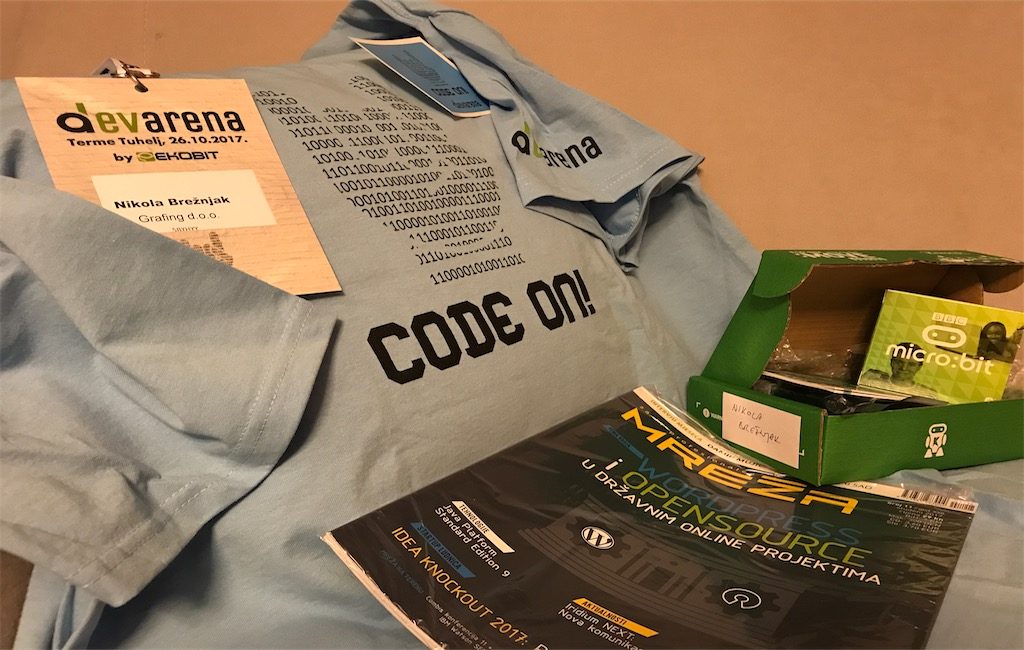
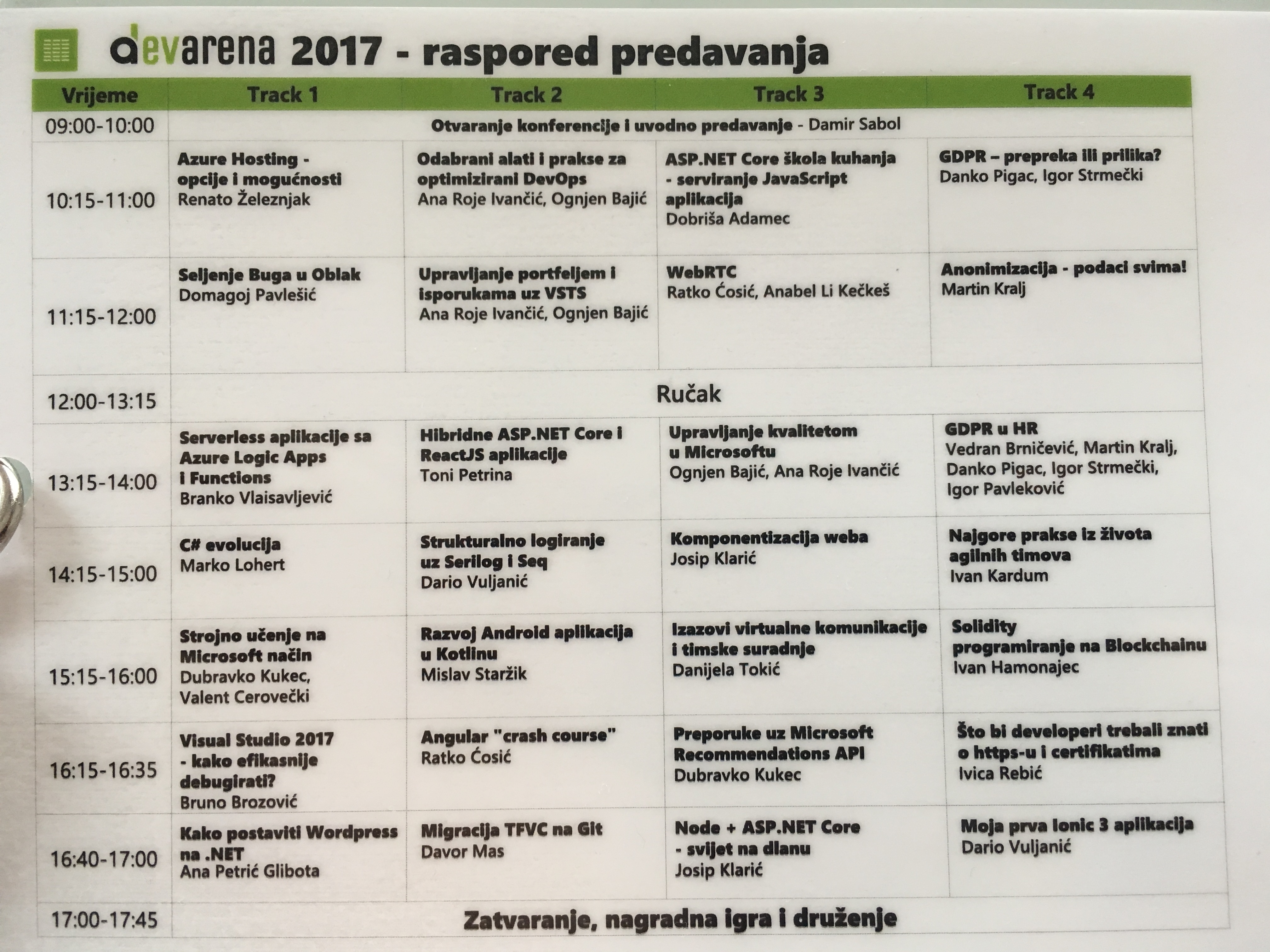
This is how the accreditation looked like on the back side, with the list of presentations per each track (4 in total):

accreditation

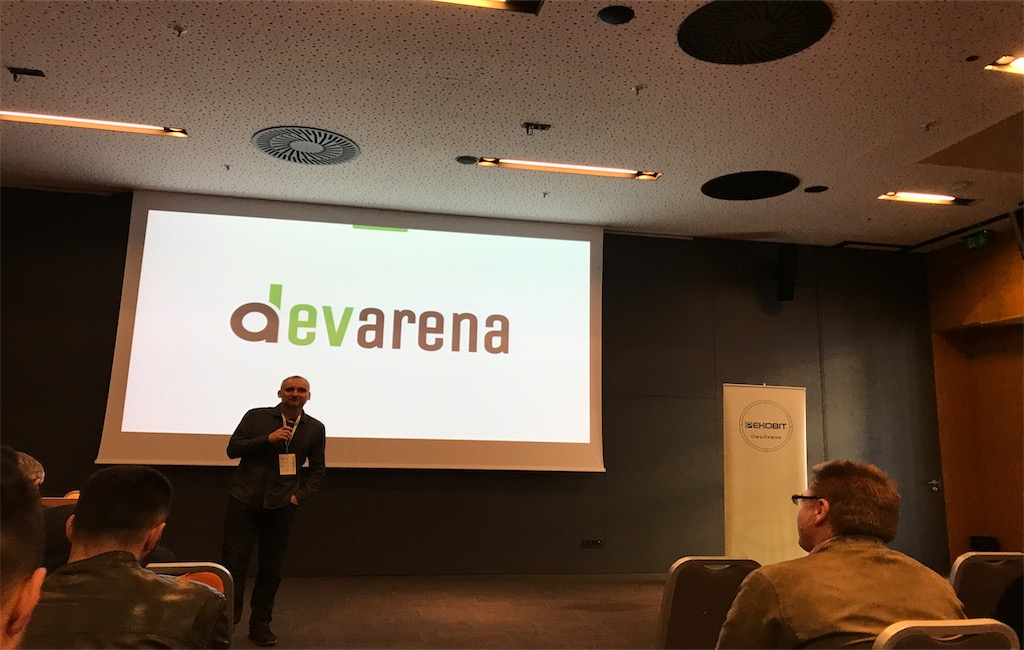
Conference oppening

uvod

Awards for fastest signups

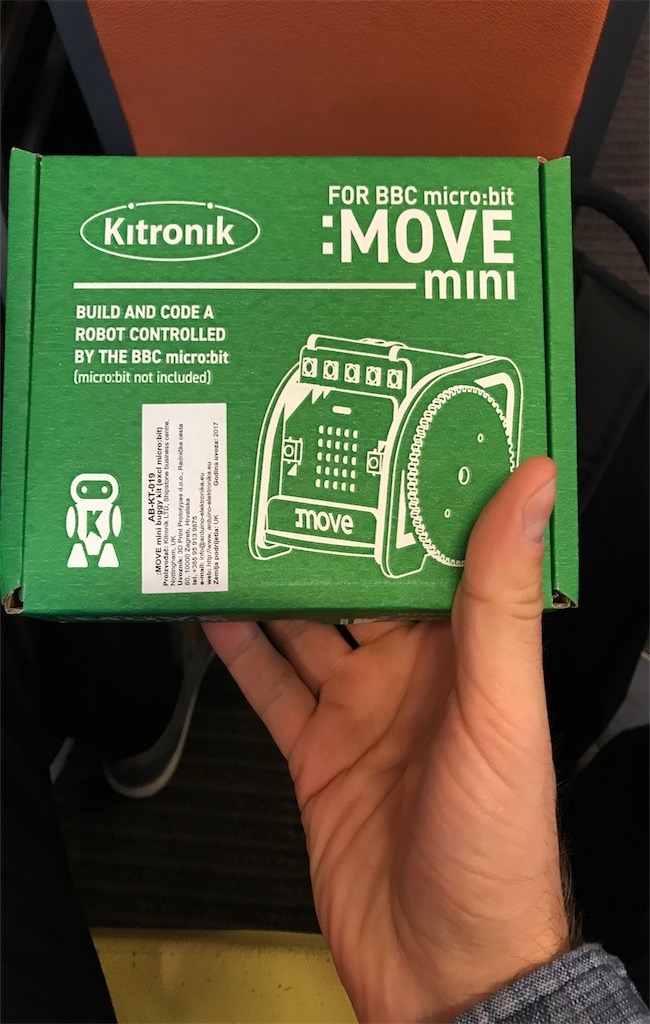
This year I got a Kitronik :MOVE mini for BBC micro:bit for making it to the top 10 people who signed up first. Can’t wait to play with this one ?. You can check the other awards here.

nagrada

As always, if you were active on the talks, you could get one of these:

active

Which would then go to the drawing pot, for a chance to win yet another set of great prizes at the end of the conference… 

A great intro presentation by Damir Sabol, the founder of Iskon. Though, you may know him better as the man behind the Microblink company that makes a world know PhotoMath app.

[ngg_images source=”galleries” container_ids=”31″ override_thumbnail_settings=”0″ thumbnail_width=”120″ thumbnail_height=”90″ thumbnail_crop=”1″ images_per_page=”20″ number_of_columns=”0″ ajax_pagination=”0″ show_all_in_lightbox=”0″ use_imagebrowser_effect=”0″ show_slideshow_link=”1″ slideshow_link_text=”[Show as slideshow]” order_by=”sortorder” order_direction=”ASC” returns=”included” maximum_entity_count=”500″ display_type=”photocrati-nextgen_basic_thumbnails”]There were a lot of presentations that covered the ever so slightly eyebrow raising GDPR law ?

[ngg_images source=”galleries” container_ids=”32″ override_thumbnail_settings=”0″ thumbnail_width=”120″ thumbnail_height=”90″ thumbnail_crop=”1″ images_per_page=”20″ number_of_columns=”0″ ajax_pagination=”0″ show_all_in_lightbox=”0″ use_imagebrowser_effect=”0″ show_slideshow_link=”1″ slideshow_link_text=”[Show as slideshow]” order_by=”sortorder” order_direction=”ASC” returns=”included” maximum_entity_count=”500″ display_type=”photocrati-nextgen_basic_thumbnails”]DevOps presentation had a cool intro showing how (fast) Uber solved one problem when Croatian taxi drivers went on strike.

[ngg_images source=”galleries” container_ids=”33″ override_thumbnail_settings=”0″ thumbnail_width=”120″ thumbnail_height=”90″ thumbnail_crop=”1″ images_per_page=”20″ number_of_columns=”0″ ajax_pagination=”0″ show_all_in_lightbox=”0″ use_imagebrowser_effect=”0″ show_slideshow_link=”1″ slideshow_link_text=”[Show as slideshow]” order_by=”sortorder” order_direction=”ASC” returns=”included” maximum_entity_count=”500″ display_type=”photocrati-nextgen_basic_thumbnails”]The discussion on the presentation titled “Worst experiences from working in an agile team” was great with lots of practical input from attendees.

[ngg_images source=”galleries” container_ids=”34″ override_thumbnail_settings=”0″ thumbnail_width=”120″ thumbnail_height=”90″ thumbnail_crop=”1″ images_per_page=”20″ number_of_columns=”0″ ajax_pagination=”0″ show_all_in_lightbox=”0″ use_imagebrowser_effect=”0″ show_slideshow_link=”1″ slideshow_link_text=”[Show as slideshow]” order_by=”sortorder” order_direction=”ASC” returns=”included” maximum_entity_count=”500″ display_type=”photocrati-nextgen_basic_thumbnails”]Challenges of the virtual communication and team work was very valuable for me…

[ngg_images source=”galleries” container_ids=”35″ override_thumbnail_settings=”0″ thumbnail_width=”120″ thumbnail_height=”90″ thumbnail_crop=”1″ images_per_page=”20″ number_of_columns=”0″ ajax_pagination=”0″ show_all_in_lightbox=”0″ use_imagebrowser_effect=”0″ show_slideshow_link=”1″ slideshow_link_text=”[Show as slideshow]” order_by=”sortorder” order_direction=”ASC” returns=”included” maximum_entity_count=”500″ display_type=”photocrati-nextgen_basic_thumbnails”]Standardly awesome Ratko Ćosić was “cooking” this year ?‍?

[ngg_images source=”galleries” container_ids=”36″ override_thumbnail_settings=”0″ thumbnail_width=”120″ thumbnail_height=”90″ thumbnail_crop=”1″ images_per_page=”20″ number_of_columns=”0″ ajax_pagination=”0″ show_all_in_lightbox=”0″ use_imagebrowser_effect=”0″ show_slideshow_link=”1″ slideshow_link_text=”[Show as slideshow]” order_by=”sortorder” order_direction=”ASC” returns=”included” maximum_entity_count=”500″ display_type=”photocrati-nextgen_basic_thumbnails”]All in all, yet another great conference!

Till next time, CODE ON! ?

@DevArena 2017 was great! I got a micro:bit ? ❤️ https://t.co/cBzDjcmWrD

— Nikola Brežnjak (@HitmanHR) October 28, 2017

Miscellaneou$

How to remove a .DS_Store file from a Git repo on a Mac

This is a quick tip on how to remove the pesky .DS_Store file from a Git repository on a Mac.

Sure, you can just put it in the .gitignore file, but what if you’d like to remove the .DS_Store files from your folders?

Well, just use this one-liner in the command line: find . -name '.DS_Store' -type f -delete.

You can use this for other files as well. For example, you could use find . -name '*.js' -type f -delete to delete all JavaScript files within a containing folder.

Ok, but what if you accidentally added the .DS_Store file to your Git repository? In that case, add the .DS_Store to your .gitignore file, but also execute the following command:

find . -name .DS_Store -print0 | xargs -0 git rm -f --ignore-unmatch

That’s all, hope this helps!

How to remove a .DS_Store file from a Git repo on a Mac https://t.co/lLM5RqqiO0

— Nikola Brežnjak (@HitmanHR) October 27, 2017

Books

Extracted – RR Haywood

I don’t read a lot of fiction books, but recently I stumbled upon a fiction book that I liked quite a bit. I don’t have any special quotes from the book Extracted by RR Haywood, as I usually do, but the book itself captivated me quite a bit. I was drawn to the story and listening (Audible ❤️) onward to learn what will happen. This is the first book in the trilogy and I can’t wait to start the second one.

Taken from the official website:

In 2061, a young scientist invents a time machine to fix a tragedy in his past. But his good intentions turn catastrophic when an early test reveals something unexpected: the end of the world.

A desperate plan is formed. Recruit three heroes, ordinary humans capable of extraordinary things, and change the future.

Safa Patel is an elite police officer, on duty when Downing Street comes under terrorist attack. As armed men storm through the breach, she dispatches them all.

‘Mad’ Harry Madden is a legend of the Second World War. Not only did he complete an impossible mission—to plant charges on a heavily defended submarine base—but he also escaped with his life.

Ben Ryder is just an insurance investigator. But as a young man he witnessed a gang assaulting a woman and her child. He went to their rescue, and killed all five.

Can these three heroes, extracted from their timelines at the point of death, save the world?

So, in case you’re into stories which deal with time travel (like I am ?), then you’ll like this one. Oh, btw, in case you know some other book that deals with the similar concept, then please recommend!

#time-travel #books anyone? I liked Extracted by RR Haywood https://t.co/RTOiv2t45C

— Nikola Brežnjak (@HitmanHR) October 21, 2017

Books

Doing Good Better: How Effective Altruism Can Help You Make a Difference

My favorite quotes from the book Doing Good Better by William MacAskill:

The money is less valuable to you, the more you have of it.

The challenge for us is this: How can we ensure that, when we try to help others, we do so as effectively as possible?

If you make more then 52k$/year you’re in the top 1% of the world’s population in terms of income. If you make more than 28k$/year you’re in the 5% richest people in the world. 11k$/year you’re richer than 85% of the people. Let that sink in.

When thinking about risk from transport, you can think directly in terms of minutes of life lost per hour of travel. Each time you travel, you face a slight risk of getting into a fatal accident, but the chance of getting into a fatal accident varies dramatically depending on the mode of transport. For example, the risk of a fatal car crash while driving for an hour is about one in ten million (so 0.1 micromorts). For a twenty-year-old, that’s a one-in-ten-million chance of losing sixty years. The expected life lost from driving for one hour is therefore three minutes. Looking at expected minutes lost shows just how great a discrepancy there is between risks from different sorts of transport. Whereas an hour on a train costs you only twenty expected seconds of life, an hour on a motorbike costs you an expected three hours and forty-five minutes. In addition to giving us a way to compare the risks of different activities, the concept of expected value helps us choose which risks are worth taking. Would you be willing to spend an hour on a motorbike if it was perfectly safe but caused you to be unconscious later for three hours and forty-five minutes? If your answer is no, but you’re otherwise happy to ride motorbikes in your day-to-day life, you’re probably not fully appreciating the risk of death. Boy, do I love that my parents didn’t give in to my ‘motorbike desire’ way back as a teenager ❤️

We’re about one hundred times richer than the poorest billion people in the world, and we can do several hundred times more to help them than we can to help others in the rich countries we live in.

Ionic

How to add PayPal to Ionic 1 apps

TL;DR

In this tutorial, I’m going to show you how to add the option of paying with PayPal to your Ionic 1 apps.

The demo project is on Github.

How to create this yourself step by step

  • Start a new Ionic 1 project

ionic start IonicPayPalDemo

  • Add the PayPal Cordova Plugin

cordova plugin add com.paypal.cordova.mobilesdk

As the official docs say:

The PayPal SDK Cordova/Phonegap Plugin adds 2 JavaScript files to your project:

  • cdv-plugin-paypal-mobile-sdk.js – a wrapper around the native SDK. The PayPalMobile object is immediately available to use in your .js files. You don’t need to reference it in index.html
  • paypal-mobile-js-helper.js – a helper file which defines the PayPalPayment, PayPalPaymentDetails and PayPalConfiguration classes for use with PayPalMobile

You must add <script type="text/javascript" src="js/paypal-mobile-js-helper.js"></script> to your www/index.html file, after the cordova.js import.

So, following the official advice, our www/index.html file will now look like this:

<!DOCTYPE html>
<html>
<head>
    <meta charset="utf-8">
    <meta name="viewport" content="initial-scale=1, maximum-scale=1, user-scalable=no, width=device-width">
    <title></title>

    <link rel="manifest" href="manifest.json">
    <link href="lib/ionic/css/ionic.css" rel="stylesheet">
    <link href="css/style.css" rel="stylesheet">

    <script src="lib/ionic/js/ionic.bundle.js"></script>
    <script src="cordova.js"></script>
    <script type="text/javascript" src="js/paypal-mobile-js-helper.js"></script>

    <script src="js/app.js"></script>
    <script src="js/controllers.js"></script>
    <script src="js/services.js"></script>
</head>

<body ng-app="starter">
    <ion-nav-bar class="bar-stable">
        <ion-nav-back-button>
        </ion-nav-back-button>
    </ion-nav-bar>
    <ion-nav-view></ion-nav-view>
</body>
</html>

Next, set the contents of the www/templates/tab-dash.html to:

<ion-view view-title="Dashboard">
    <ion-content class="padding">
        <div class="list">
            <label class="item item-input">
                Price:  <input type="text" ng-model="subscriptionPrice"/>
            </label>
            <label class="item item-input">
                Subscription:  <input type="text" ng-model="subscriptionName"/>
            </label>
        </div>

        <button class="button button-positive button-block" ng-click="payWithPayPal()">
            <i class="icon ion-card"></i>
            Pay with PayPal
        </button>
    </ion-content>
</ion-view>

Set the contents DashCtrl controller in the www/js/controllers.js file to:

.controller('DashCtrl', function($scope, PaypalFactory) {
    $scope.subscriptionName = 'Some subscription';
    $scope.subscriptionPrice = 5;

    $scope.payWithPayPal = function() {
        PaypalFactory.initPaymentUI().then(function() {
            PaypalFactory.makePayment($scope.subscriptionPrice, $scope.subscriptionName).then(function(data) {
                console.dir(data);

                //make some additional logic based on returned data like saving to your database, showing a message to the user, etc.
                navigator.notification.alert(
                    "PayPal purchase completed successfully.",
                    null,
                    "Paypal Purchase",
                    "OK"
                );
            }, function(err) {
                console.dir(err);
                navigator.notification.alert(
                    err,
                    null,
                    "Paypal Purchase Canceled",
                    "Try Again"
                );
            });
        });
    };
})

You can see that we’re importing the PaypalFactory through dependency injection. We define this factory in js/services.js file like this:

.factory('PaypalFactory', ['$q', '$filter', '$timeout', '$ionicPlatform', 'APP_CONSTS', function($q, $filter, $timeout, $ionicPlatform, APP_CONSTS) {
        var init_defer;

        var that = {};

        /**
        * @ngdoc method
        * @name initPaymentUI
        * @methodOf app.PaypalFactory
        * @description
        * Inits the payapl ui with certain envs.
        * 
        * @returns {object} Promise paypal ui init done
        */
        that.initPaymentUI = function() {
            init_defer = $q.defer();
            $ionicPlatform.ready().then(function() {

                var clientIDs = {
                    "PayPalEnvironmentProduction": APP_CONSTS.payPalProductionId,
                    "PayPalEnvironmentSandbox": APP_CONSTS.payPalSandboxId
                };
                PayPalMobile.init(clientIDs, that.onPayPalMobileInit);
            });

            return init_defer.promise;
        }

        /**
        * @ngdoc method
        * @name createPayment
        * @methodOf app.PaypalFactory
        * @param {string|number} total total sum. Pattern 12.23
        * @param {string} name name of the item in paypal
        * @description
        * Creates a paypal payment object 
        *
        * @returns {object} PayPalPaymentObject
        */
        var createPayment = function(total, name) {
            // "Sale  == >  immediate payment
            // "Auth" for payment authorization only, to be captured separately at a later time.
            // "Order" for taking an order, with authorization and capture to be done separately at a later time.
            var payment = new PayPalPayment("" + total, "USD", "" + name, "Sale");
            return payment;
        }

        /**
        * @ngdoc method
        * @name configuration
        * @methodOf app.PaypalFactory
        * @description
        * Helper to create a paypal configuration object
        *
        * 
        * @returns {object} PayPal configuration
        */
        var configuration = function() {
            // for more options see `paypal-mobile-js-helper.js`
            var config = new PayPalConfiguration({ merchantName: APP_CONSTS.payPalShopName, merchantPrivacyPolicyURL: APP_CONSTS.payPalMerchantPrivacyPolicyURL, merchantUserAgreementURL: APP_CONSTS.payPalMerchantUserAgreementURL });
            return config;
        }

        that.onPayPalMobileInit = function() {
            $ionicPlatform.ready().then(function() {
                PayPalMobile.prepareToRender(APP_CONSTS.payPalEnv, configuration(), function() {
                    $timeout(function() {
                        init_defer.resolve();
                    });
                });
            });
        }

        /**
        * @ngdoc method
        * @name makePayment
        * @methodOf app.PaypalFactory
        * @param {string|number} total total sum. Pattern 12.23
        * @param {string} name name of the item in paypal
        * @description
        * Performs a paypal single payment 
        *
        * 
        * @returns {object} Promise gets resolved on successful payment, rejected on error 
        */
        that.makePayment = function(total, name) {
            var defer = $q.defer();
            total = $filter('number')(total, 2);
            $ionicPlatform.ready().then(function() {
                PayPalMobile.renderSinglePaymentUI(createPayment(total, name), function(result) {
                    $timeout(function() {
                        defer.resolve(result);
                    });
                }, function(error) {
                    $timeout(function() {
                        defer.reject(error);
                    });
                });
            });

            return defer.promise;
        }

        /**
        * @ngdoc method
        * @name makeFuturePayment
        * @methodOf app.PaypalFactory
        * @description
        * Performs a paypal future payment 
        * 
        * @returns {object} Promise gets resolved on successful payment, rejected on error 
        */
        that.makeFuturePayment = function(total, name) {
            var defer = $q.defer();
            $ionicPlatform.ready().then(function() {
                PayPalMobile.renderFuturePaymentUI(
                    function(authorization) {
                        defer.resolve(authorization);
                    },
                    function(cancelReason) {
                        defer.reject(cancelReason);
                    });
            });

            return defer.promise;
        }

        return that;
    }])

Also, you may notice that here we’re importing APP_CONSTS constant which we have to define in app.js file like this:

.constant('APP_CONSTS', {
    payPalSandboxId: 'Bfiudw1_kauwqxV8vqsPXyWv-6rbudyhnwbKd2Qhb57Rdwoj0NLT8dOGwOYug5g-vHL28aqVWLMkErdVop',
    payPalProductionId: '',
    payPalEnv: 'PayPalEnvironmentSandbox', // for testing: PayPalEnvironmentSandbox, for production PayPalEnvironmentProduction
    payPalShopName: 'Demo Shop',
    payPalMerchantPrivacyPolicyURL: 'https://www.demoshop.com/privacy',
    payPalMerchantUserAgreementURL: 'https://www.demoshop.com/terms'
  })

Of course, these won’t work and for the demo to work you need to change them to your settings. You can get these by registering your application over at PayPal Developers portal.

Running the application

When you run the application you should see a screen like this:

Then, if you click on the Pay with PayPal button you’ll get a nice looking interface:

Cool thing is that it also supports the option to take a picture of your credit card and automatically fill the fields (in case you would pay with a credit card):

Conclusion

Hope this demo app helps to show you how easy it is to add PayPal payments to your Ionic 1 app.

The demo only showcases the usage of a one-time payment. The so-called future payment UI is ready, but to get this fully working, you will need to implement proper functions on the backend as well. You can read more about this here.


How to add PayPal to Ionic 1 apps @ionicframework https://t.co/nwLE2vUxAu

— Nikola Brežnjak (@HitmanHR) October 17, 2017

Programming

Code Complete 2 – Steve McConnell – Using Conditionals

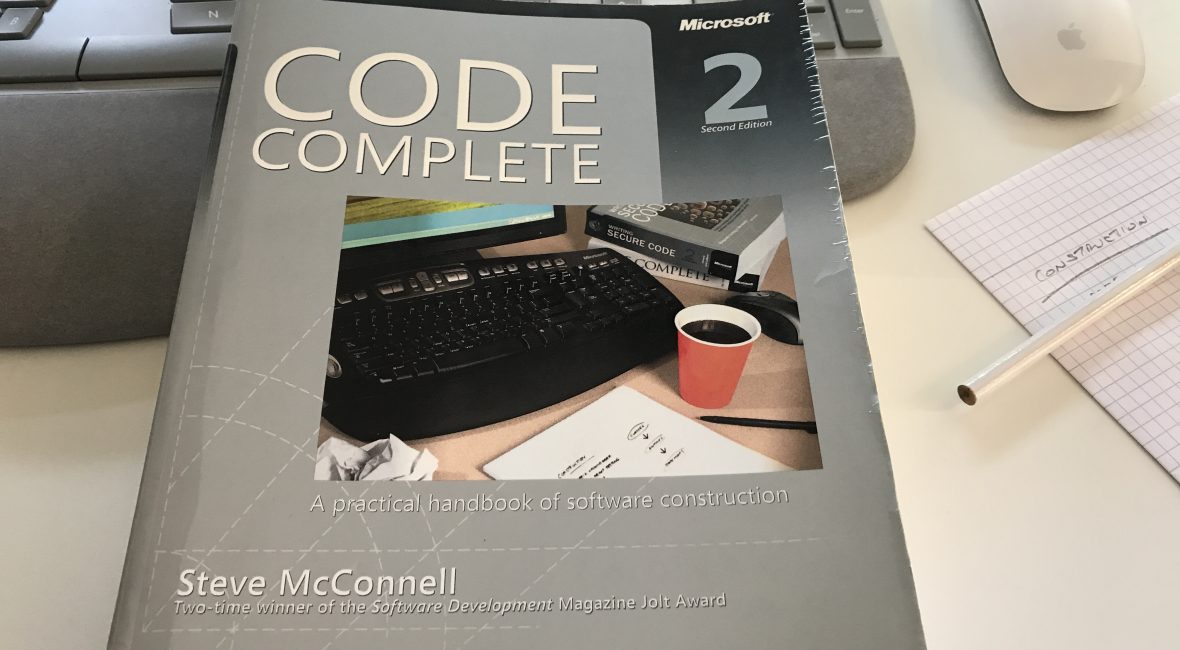
I just love Steve McConnell’s classic book Code Complete 2, and I recommend it to everyone in the Software ‘world’ who’s willing to progress and sharpen his skills.

Other blog posts in this series:

  • Part 1 (Chapters 1 – 4): Laying the Foundation
  • Chapter 5: Design in Construction
  • Chapter 6: Working Classes
  • Chapter 7: High-Quality Routines
  • Chapter 8: Defensive programming
  • Chapter 9: Pseudocode Programming Process
  • Chapter 10: General Issues in Using Variables
  • Chapter 11: General Issues in Using Variables
  • Chapter 12: Fundemental Data Types
  • Chapter 13: Unusual Data Types

A conditional is a statement that controls the execution of other statements; execution of the other statements is “conditioned” on statements such as if, else, case and switch.

Guidelines for if statements

  • Write the normal path through the code first; then write the unusual cases
  • Make sure that you branch correctly on equality – using > instead of >= or < instead of <= is analogous to making an off-by-one error.
  • Put the normal case after the if rather than after the else – put the case you normally expect to process first.
  • Check for reversal of the if and else clauses – a common mistake in programming if-else statements is to flip-flop the code that’s supposed to follow the if clause and the code that’s supposed to follow the else clause or to get the logic of if test backward.

Guidelines for if-else if statements

  • Simplify complicated tests with boolean function calls – To improve readability, you can replace them with calls to boolean functions, here’s example without boolean function calls.
    if ( 
        ('a' <= inputCharacter && inputCharacter <= 'z') || 
        ('A' <= inputCharacter && inputCharacter <= 'Z')    
        ) {
        // do something...
    }
    

    and here is the code simplified:

    if ( isLetter( inputCharacter) ) {
        // do something
    }
    
  • Put the most common cases first – That way you minimize the amount of exception-case handling code someone has to read to find the usual cases. You improve efficiency because you minimize the number of tests the code does to find most common cases.
  • Make sure that all cases are covered – Code the final _else clause with an error message or assertion to catch cases you didn’t plan for.

Case statements

Choosing the most effective ordering of cases

If you have a long _case` statement that handles dozens of events in an event-driven program, the order is significant. Following are some ordering possibilities:
+ Order cases alphabetically or numerically – If cases are equally important, putting them in A-B-C order improves readability.

  • Put the normal case first – If you have a normal case and several exceptions, put the normal case first.

  • Order cases by frequency – Put the most frequently executed cases first and the least frequently executed last.

Tips for using case statements

  • Keep the actions of each case simple – short code following each case helps make the structure of the case statement clear. If actions performed for a case are complicated, write a routine and call the routine from the case rather than putting the code into the case itself.

  • Use the default clause only to detect legitimate defaults – you might sometimes have only one case remaining and decide to code that case as the default clause. Though sometimes tempting, that’s dumb. You lose the automatic documentation provided by case-statement labels, and you lose the ability to detect errors with the default clause.

  • Use the default clause to detect errors – if the default clause is used for some purpose other than error detection, the implication is that every case selector is correct.

  • Avoid dropping through the end of a case statement – languages like C, C++, and Java don’t automatically break out of each case. If you don’t code the end of the case, the program drops through the end and executes the code for the next case.

  • Clearly and unmistakably identify flow-throughs at the end of a case – if you intentionally write code to drop through the end of a case, clearly comment the place at which it happens and explain why it needs to be coded that way. This technique should be avoided.

Programming

Code Complete 2 – Steve McConnell – Unusual Data Types

I just love Steve McConnell’s classic book Code Complete 2, and I recommend it to everyone in the Software ‘world’ who’s willing to progress and sharpen his skills.

Other blog posts in this series:

  • Part 1 (Chapters 1 – 4): Laying the Foundation
  • Chapter 5: Design in Construction
  • Chapter 6: Working Classes
  • Chapter 7: High-Quality Routines
  • Chapter 8: Defensive programming
  • Chapter 9: Pseudocode Programming Process
  • Chapter 10: General Issues in Using Variables
  • Chapter 11: General Issues in Using Variables
  • Chapter 12: Fundemental Data Types

Structures

The term “structure” refers to data that’s build up from other types. You’ll generally want to create classes rather than structures so that you can take advantage of the privacy and functionality offered by classes in addition to the public data supported by structures. But sometimes structures can be useful, here are some reasons for using them:

  • Use structures to clarify data relationships – structures bundle group of related items together
  • Use structures to simplify operations on blocks of data – it’s easier to operate on the structure than to perform the same operation on each of the elements. It’s also more reliable, and it takes fewer lines of code.
  • Use structures to simplify parameter lists
    • Here is an example of a hard way to pass a group of related parameters:
      HardWayRoutine( name, address, phone, gender, salary )
      
    • And here is the easy way:
      EasyWayRoutine ( employee )
      
  • Use structures to reduce maintenance – Because you group related data when you use structures, changing a structure requires fewer changes throughout a program.

Pointers

Pointer usage is one of the most error-prone areas of modern programming, to such an extent that modern languages like Java, C#, and Visual Basic don’t provide a pointer data type.

Even if your language doesn’t require you to use pointers, a good understanding of pointers will help your understanding of how your programming language works. Conceptually, every pointer consists of two parts:

  • a location in memory and
  • a knowledge of how to interpret the contents of that location

General Tips on Pointers

  • Isolate pointer operations in routines or classes
  • Declare and define pointers at the same time
  • Delete pointers at the same scooping level as they were allocated
  • Check pointers before using them – make sure the memory location it points to is reasonable
  • Use extra pointer variables for clarity – the point is made elsewhere that a variable shouldn’t be used for more than one purpose. This is especially true for pointer variables.
  • Simplify complicated pointer expressions
  • Set pointers to null after deleting or freeing them – one reason pointer errors are hard to detect is that sometimes the error doesn’t produce any symptoms. By setting pointers to null after freeing them, you ensure that writing data to a dangling pointer produces an error.

Global Data

Global variables are accessible anywhere in a program. Even if global variables don’t always produce errors, however, they’re hardly ever the best way to program.

Common Problems with Global Data

  • Inadvertent changes to global data – You might change the value of a global variable in one place and mistakenly think that it has remained unchanged somewhere else
  • Bizarre and exciting aliasing problems with global data – “Aliasing” refers to calling the same variable by two or more different names. Here is the example in Visual Basic:
Sub WriteGlobal( ByRef inputVar as Integer )
    inputVar = 0
    globalVar = inputVar + 5
    MsgBox( "Input Variable: " & Str( inputVar ) )
    MsgBox( "Global Variable: " & Str( globalVar ) )
End Sub

Here’s the code that calls the routine with global variable as an argument: WriteGlobal( globalVar )

Here’s the surprising result:

Input Variable: 5
Global Variable: 5

The subtlety here is that globalVar and inputVar are actually the same variable! MsgBox() displays the same variable twice, even though they refer to two different names.
+ Code reuse hindered by global data – if the class you want to reuse reads or writes global data, you can’t just plug it into the new program.
+ Modularity and intellectual manageability damaged by global data – if you use global data, can you concentrate on one routine at a time? No. You have to concentrate on one routine and every other routine that uses the same global data.

Reasons to Use Global Data

  • Preservation of global values
  • Streamlining use of extremely common data
  • Eliminating tramp data – sometimes you pass data to a routine or class merely so that it can be passed to another routine or class.

Using Access Routines Instead of Global Data

Anything you can do with global data, you can do better with access routines. The use of access routines is a core technique for implementing abstract data types and achieving information hiding.

How to Use Access Routines

Hide data in a class. Declare that data by using the static keyword or its equivalent to ensure only a single instance of the data exists. Write routines that let you look at the data and routines that let you change data. Require code outside the class to use the access routines rather than working directly with data.

If you can’t avoid global variables, work with them through access routines. Access routines give you everything that global variables give you, and more.

Quick tips

How to login to Docker hub from the command line

TL;DR

you have to enter your Docker ID, and not your email address ?

!Tl;DR

In this quick tip, I’ll show you (and help me remember forever and always ?) how to login to Docker hub from the command line.

I won’t go into details of why and how Docker is great and why all devs should use it, I’ll leave that for some other post…

I’m using the Docker for Mac desktop app.

You can download a version for your operating system here.

Via the Docker for Mac app I could login without a problem with my email and password.

However, if I typed docker login from the command line, it would constantly keep telling me I provided wrong credentials. On this Github issue I found the solution:

you have to enter your Docker ID, and not your email address ?

How to login to #Docker hub from the #command line https://t.co/kDkBHilEyO

— Nikola Brežnjak (@HitmanHR) October 4, 2017

Page 18 of 54« First...10«17181920»304050...Last »

Recent posts

  • FOMO as a Developer: You’re Not Behind, You’re Just Human
  • If only life had an XP bar
  • Are Book Summaries Worth It?
  • Book review: 5 Love Languages
  • Why You Should Start Blogging (Even If Nobody Will Read It)

Categories

  • Android (3)
  • Books (115)
    • Programming (22)
  • CodeProject (36)
  • Daily Thoughts (78)
  • DevThink (8)
  • Go (3)
  • iOS (5)
  • JavaScript (128)
    • Angular (4)
    • Angular 2 (3)
    • Ionic (61)
    • Ionic2 (2)
    • Ionic3 (8)
    • MEAN (3)
    • NodeJS (27)
    • Phaser (1)
    • React (1)
    • Three.js (1)
    • Vue.js (3)
  • Leadership (1)
  • Meetups (8)
  • Miscellaneou$ (84)
    • Breaking News (8)
    • CodeSchool (2)
    • Hacker Games (3)
    • Pluralsight (7)
    • Projects (2)
    • Sublime Text (2)
  • PHP (6)
  • Quick tips (44)
  • Servers (8)
    • Heroku (1)
    • Linux (3)
  • Stack Overflow (82)
  • Unity3D (9)
  • VibeCoding (2)
  • Windows (8)
    • C# (2)
    • WPF (3)
  • Wordpress (2)

"There's no short-term solution for a long-term result." ~ Greg Plitt

"Everything around you that you call life was made up by people that were no smarter than you." ~ S. Jobs

"Hard work beats talent when talent doesn't work hard." ~ Tim Notke

© since 2016 - Nikola Brežnjak