
Stop Tabbing. Start Using Your Monitor
OK, I admit, this one is going to be weird. So, buckle up…
Tabbing feels like it costs a second. It doesn’t. It costs your train of thought.
You know the move: you’re testing the app and it’s crashing, you’re mid-sentence of screaming at prompting your favorite LLM to fix it, and then you Alt+Tab (CMD + Tab for fellow Mac users) to Slack "just for a sec", then you come back and… reread the last 15 lines like it’s a novel you forgot the plot of.
Hot take: tabbing is a context tax. And it adds up fast.
TL;DR
- The real cost of tabbing isn’t the switch — it’s the mental reload after.
- The easiest fix isn’t discipline, it’s layout: make your screen a multi-window workspace.
- Use a big monitor + split your apps into a "cockpit" so you don’t need to switch contexts.
- On macOS, use Spectacle (not affiliated) or some other window tiling app
The real problem: you’re not switching apps, you’re switching brains
If you had to physically stand up and walk to another desk every time you checked Slack, you’d do it less.
Alt+Tab is the "teleport" version of that walk — and that’s exactly why it’s dangerous. It’s frictionless distraction.
Because when you tab away, you don’t just lose what’s on the screen, you lose:
- the next step you were about to do,
- the mental model of the code,
- and whatever fragile "flow" you managed to summon that day
The cheat code: stop tabbing by making your monitor do the work
This is the part nobody tells you:
The best productivity "hack" is having everything visible at once.
Not 27 windows stacked like lasagna. I mean a deliberate layout where your brain doesn’t have to switch, it only has to look.
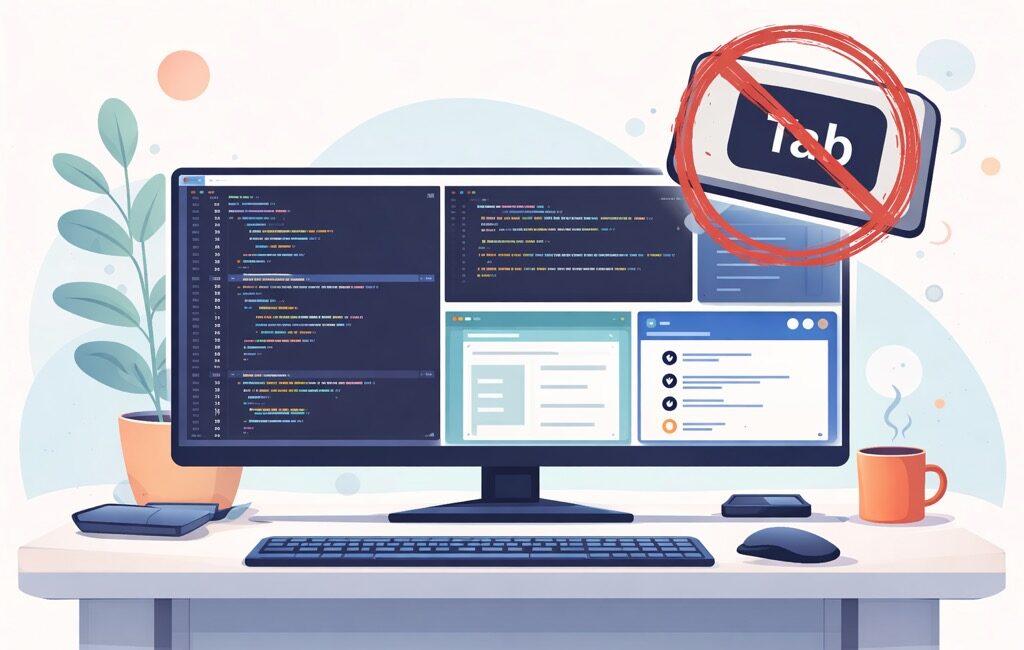
A bigger monitor helps because you can run a real multi-window layout, for example:
- Left (60–70%): editor (VS Code / IntelliJ)
- Right top: terminal (tests, logs, git)
- Right bottom: browser (docs / ticket) / ChatGPT
⚠️ Note to you, dear reader, if you’re using some layout like that: share it in the comments, I’m curious to hear what’s been working for you.
Oh, and BTW, if Slack is visible, you don’t "check Slack". You just notice if something is urgent. And 95% of the time… it isn’t. Also, don’t get me started on email…
Spectacle on macOS: the "I refuse to drag windows" tool
The reason people tab is often stupid-simple:
"My windows are annoying to manage."
or
"My screen is just too small."
I can’t help you with the 2nd one (tell your boss you need a bigger/external monitor 🤷♂️ – tell them, politely, that some dude on the Internetz sent you), but as far as the 1st one goes, you end up stacking everything and flipping through it like TV channels.
That’s where Spectacle comes in.
It’s a lightweight macOS app that lets you snap windows into positions using keyboard shortcuts:
- left half
- right half
- quarters
- maximize
So instead of:
- "drag… resize… oops wrong size… now I’ll just tab…"
You press a keyboard shortcut, and the window goes exactly where you want.
The next you know it, voilà — your screen becomes a workspace, not a pile of rectangles.
Goal: reduce tabbing by making switching unnecessary.
A simple "no-tab" layout you can try today
Here’s a clean starter layout (works great on a 27" or ultrawide):
- Editor: left side (primary focus)
- Terminal: right side (top)
- Browser/docs/ChatGPT: right side (bottom)
That’s it.
You’ll be shocked how often you tab just to peek at something that could’ve been visible all along.
One tiny habit that helps even with a perfect layout
Sometimes you still need to switch (different project, different doc, whatever). Before you do:
Write one line somewhere (notes, TODO comment, sticky note):
"Next: update handler → rerun tests → fix validation error"
That single sentence is a bookmark for your brain.
Wrap-up
Tabbing isn’t evil. It’s just expensive.
If you want the cheapest win:
- get a bigger monitor (or use what you already have smarter),
- build a consistent multi-window layout like Spectacle on a Mac,
- and turn "tabbing" into something you do intentionally, not reflexively.
Because the fastest way to stay in flow isn’t to "focus harder".
It’s making it harder to accidentally leave.


Leave a Comment